Ampache8 for Users
Ampache8 for Users
This page will cover the visual, user specific changes to Ampache.
Changes that are important to Admin's are available at Ampache8 for Admins
The Web Player has been rebuilt
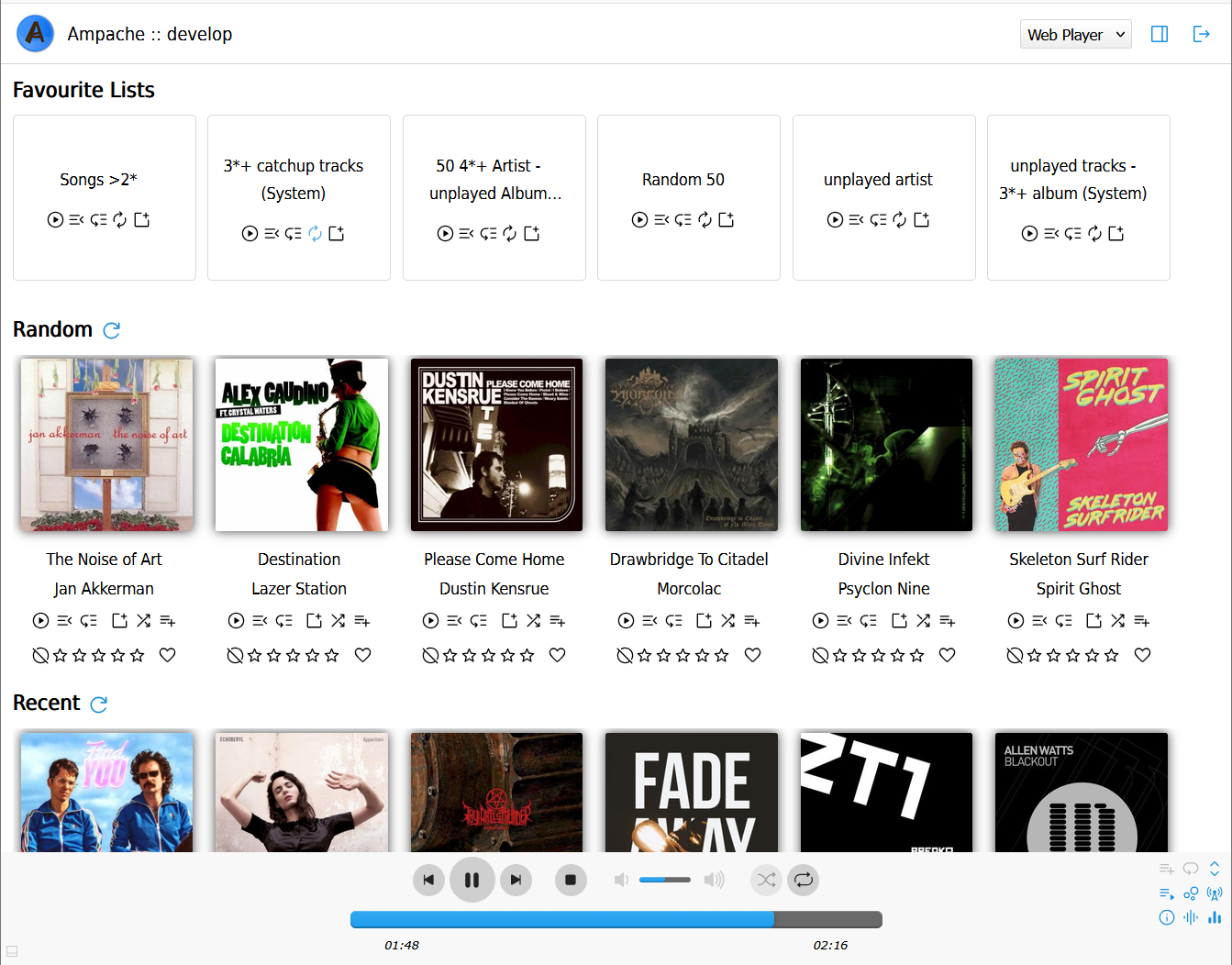
The player bar now uses a clean 3 row layout for both music and video.
- Top: one centered control strip - previous, play/pause, next, stop, mute, volume, shuffle and repeat
- Middle: a full width seek bar
- Bottom: current time on the left and duration on the right

The action buttons sit together on the right of the bar: Add All to playlist, Loop Playlist, Expand playlist, Show/Hide playlist, Visualizer, Broadcast, Show/Hide Now Playing, ReplayGain, Equalizer and Visualizer full-screen.
Playlist show and expand
You can now hide the in-bar playlist completely and the action buttons move into the freed space.
The Expand button opens a full height playlist panel above the bar and works even while the in-bar playlist is hidden.
Both choices are remembered in cookies, and on small screens the playlist starts hidden by default.
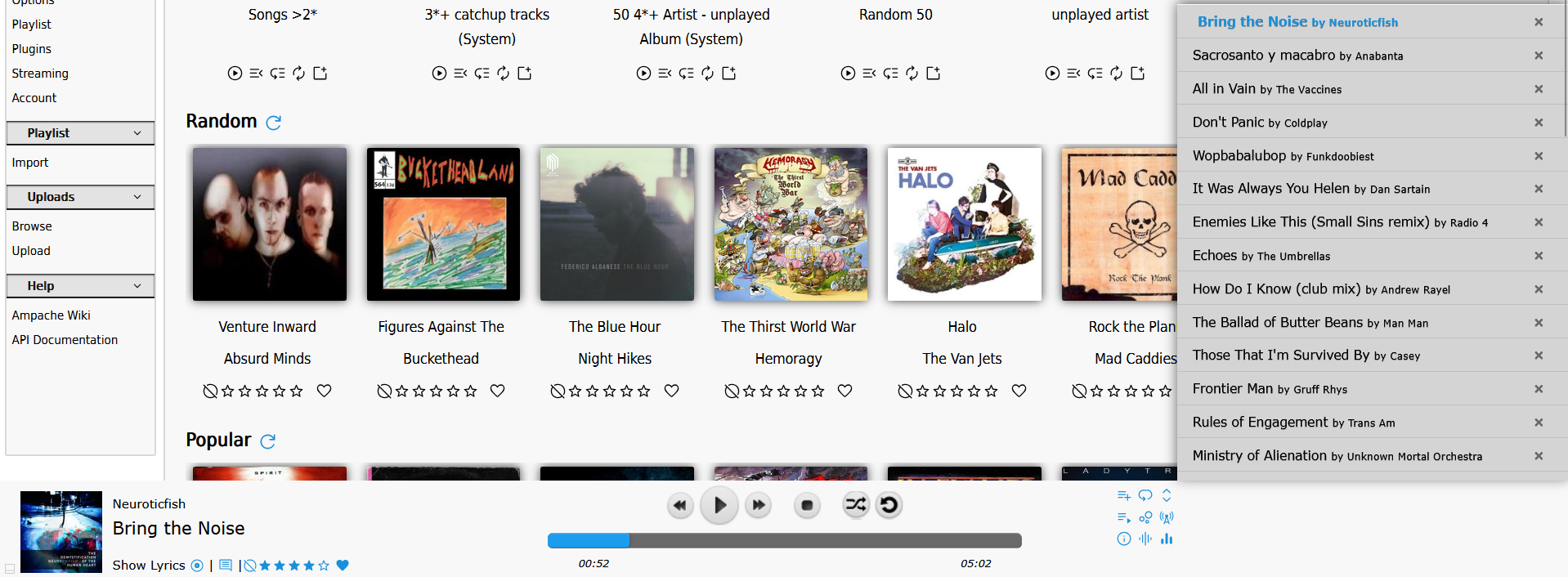
The Equalizer is back
A 5 band equalizer (80, 240, 750, 2.2k and 6k Hz) is available from the player at any time.
It used to be buried inside the visualizer; now it has its own button and works together with ReplayGain and the visualizer.
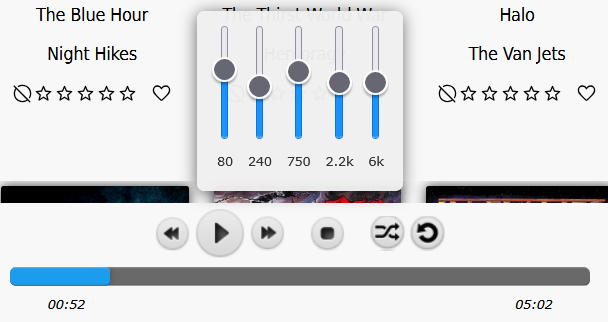
A new Visualizer
The old WebGL visualizer has been replaced with a lightweight canvas visualizer that reacts to the music.
It covers the screen above the player, and if you hide the player it covers the full screen.
While it runs the player bar switches to a black theme so the controls stay readable.
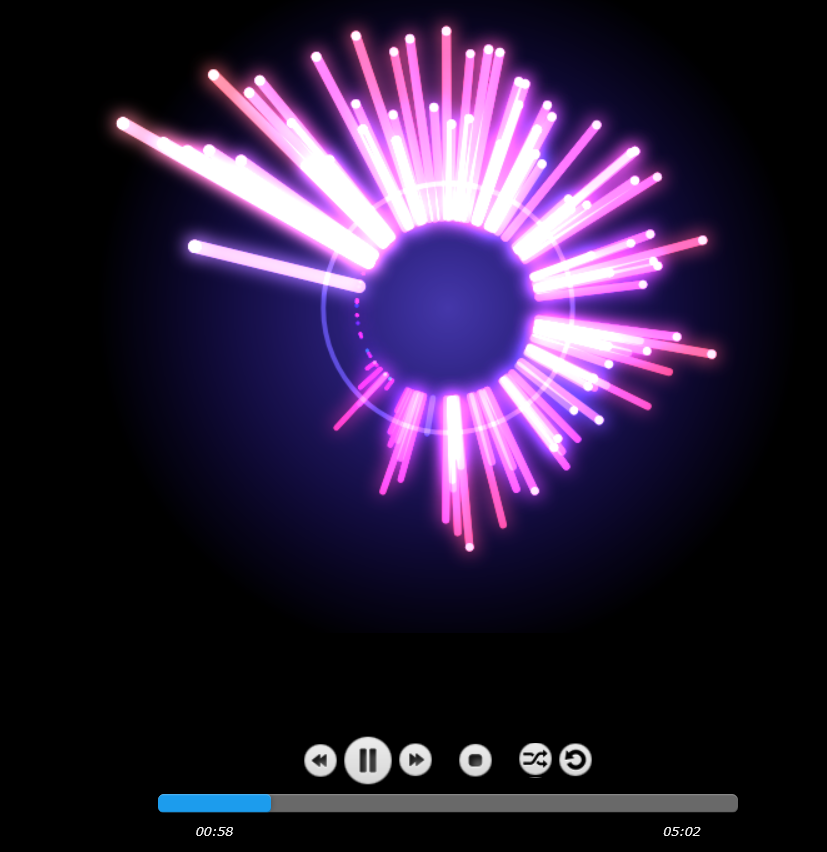
Random and Democratic play show what is playing
Random and Democratic play used to show an empty player with no song information.
The player now shows the current title, artist, album and art, along with a live rating/flag widget and a link to the album.

Other player changes
- The waveform display has been removed from the player bar (waveforms remain on song pages)
- The Flash and Aurora.js fallbacks are gone; the player is HTML5 only
- The old
Authorize Flash Web Player,Authorize JavaScript decoder (Aurora.js)and alternativeplay2playback preferences have been removed
Browse your music by Folder
There is a new Folders link at the top of the Browse sidebar.
It shows your catalogs as the real folder tree on disk, with the songs, podcast episodes and videos inside each folder.
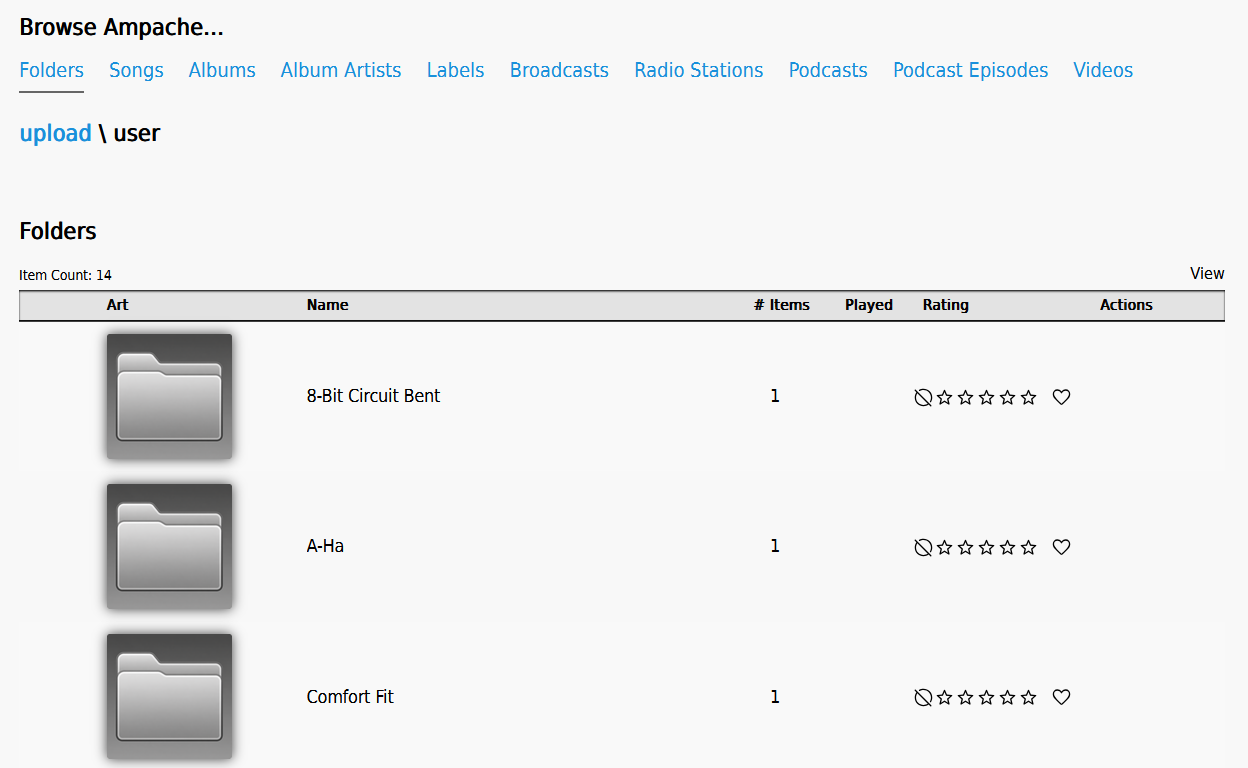
Folder rows work like any other library item:
- Play, Play Next and Play Last on hover
- Add to the temporary playlist or a saved playlist
- Folders can be rated and flagged
- Shout, share and batch download actions
Folder art falls back to a folder icon when no image is found.
You can hide the link with the new Show 'Folders' link in the main sidebar preference.
NOTE the link only appears after your admin has run the new Scan Folders catalog action.
Collections: a list that can hold anything
There is a new Collections link in the Playlists part of the sidebar.
A playlist only holds music and a smartlist builds itself from rules, so neither can hold an album, an artist or a genre.
A collection can hold any of them in the same list, because its contents are chosen by hand rather than by a rule.
Albums, album disks, artists, genres, labels, live streams, playlists, podcasts, episodes, songs and videos are all allowed.
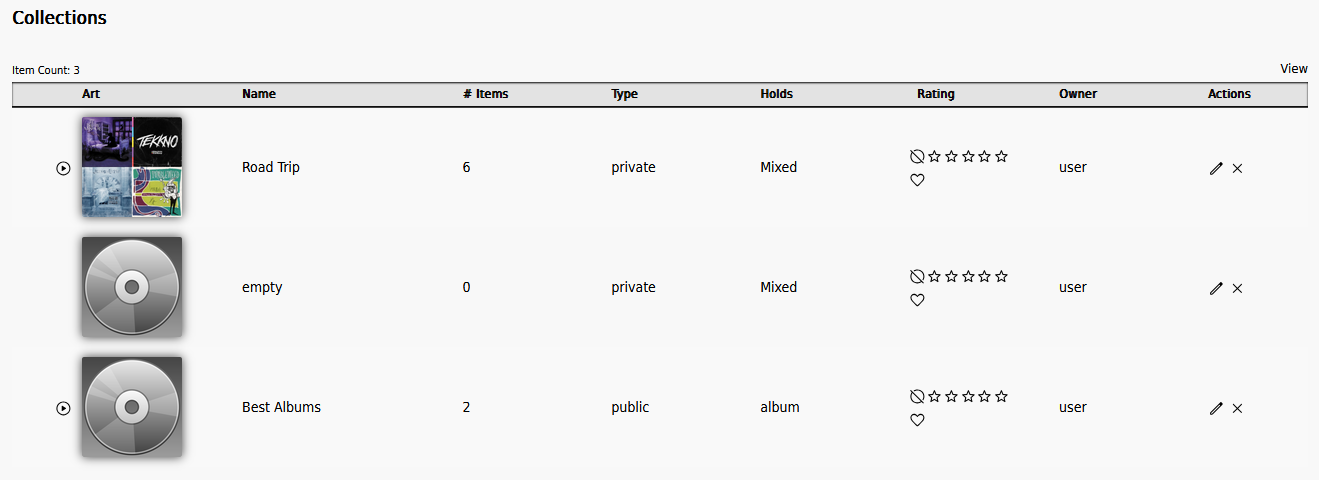
A Create Collection button on the collections browse makes one. You choose its name, whether it is public or private, and whether it is pinned to a single kind of thing or left mixed. (The playlists browse gained the same Create Playlist button, so a playlist no longer has to come into existence as a side effect of adding something to one.)
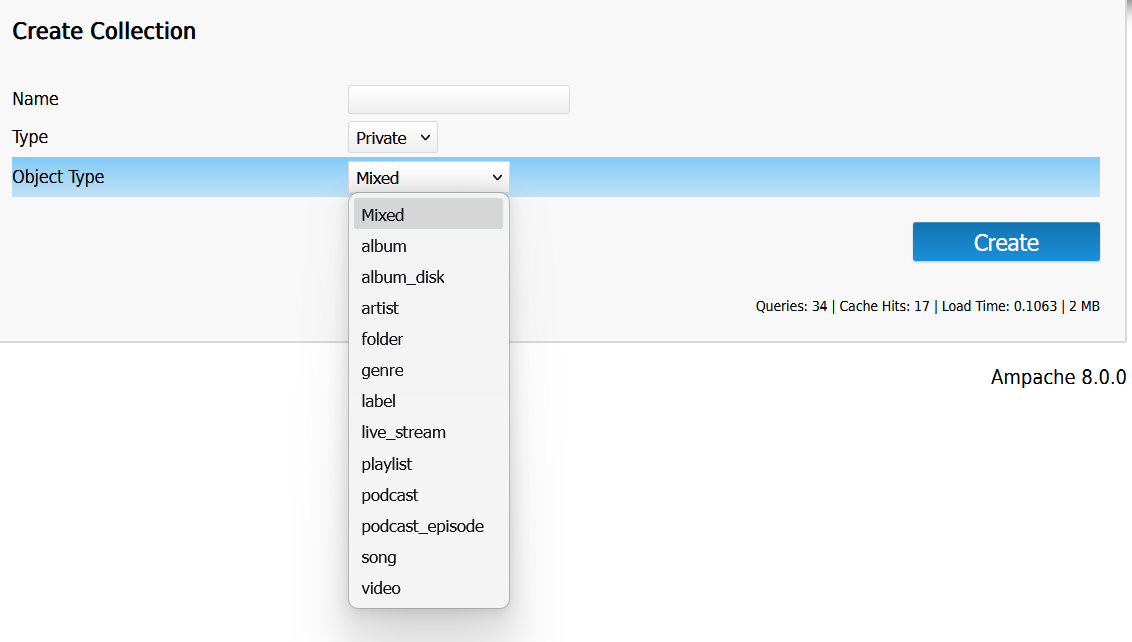
You can leave a collection mixed or pin it to a single kind of thing, after which it refuses anything else.
Opening a mixed collection shows one ordered list, each row naming its own type. A collection pinned to a single type is handed to that type's own browse instead, so a collection of albums looks like any other album view.
The Add to playlist / collection menu now offers collections as well as playlists, under their own headings. Only the halves that can take what you are adding are shown, so a genre offers collections alone - a playlist stores the media an item expands to, and a genre expands to nothing on its own. Genres and labels gained that menu for the first time.
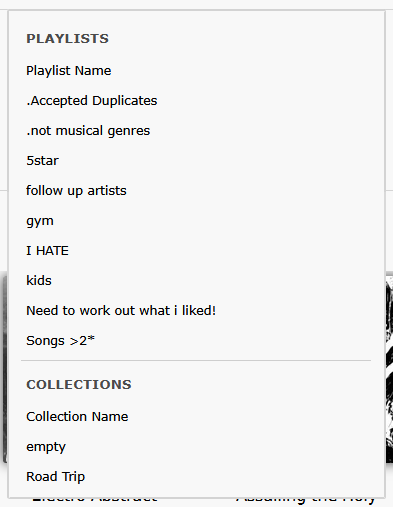
Adding a smartlist adds the songs it currently matches, since a smartlist is a rule rather than a thing that can be stored in a list.
A collection is ordered. New members go on the end, and a mixed collection can be dragged into a new order and saved with Save Track Order, exactly like playlist tracks. A pinned collection is shown through its own type's browse, which has no drag handle.
Remove a member from its row, or several at once with Multi-Select. Members are addressed by their place in the list rather than by what they point at, so removing one of two identical members removes the one you picked.
Whether a collection may hold the same thing twice follows your existing Only add unique items to playlists preference rather than a setting of its own - it is off by default, so duplicates are allowed, exactly as they are in your playlists.
Pressing play expands the collection, so an album plays its songs and anything that cannot be streamed is skipped.
A song reached twice, through its album and on its own, still plays once.
Collections can be rated and flagged, and they get their own art with the same mosaic fallback playlists use.
Public or private and the collaborator list work just like playlists, so a collaborator is allowed to change the contents but only the owner can delete the list.
You can hide the link with the new Show 'Collections' link in the main sidebar preference. The link no longer waits for a collection to exist before it appears, so there is a way in from a fresh install.
Moods: browse and tag by feeling
Ampache can now read a mood straight from your files - id3v2 TMOO, Vorbis/APE MOOD, or an AcousticBrainz ab:mood comment - the same way it already reads genres. A file with more than one of these gets every mood it lists.
There's a new Moods browse (a cloud, like Genres) once your admin has rescanned your catalog. You can hide the link with the new Show 'Moods' link in the main sidebar preference.
Songs, albums, album disks, artists and videos can show a Moods column on their browse rows - it's hidden by default since most libraries don't have mood tags yet, but there's a preference to turn it on.
A video carries its own moods, read from its file when your catalog is scanned, the same as a song does.
Album and artist pages show the moods gathered from their songs; there's no mood of its own to set on an album or artist, so removing a mood from every song on an album removes it there too.
Editing a song, album, artist or video gets a Moods field next to Genres, and moods can be searched and built into smartlists with the new Mood search rule.
If your admin has write_tags turned on, a mood you set by hand is written back into the file - just like a genre.
Your hand-set tags and moods survive a rescan
Genres and moods you add or remove yourself in the edit dialog used to disappear the next time your catalog was rescanned, because a scan reads mood/genre only from the file and throws away anything it didn't find there.
That no longer happens for anything a person set through the interface or API. A tag or mood is marked as yours when you add it, and a rescan now only touches tags and moods nobody has explicitly set - it leaves your own alone even if your file doesn't have them.
You can tell which ones are yours: a tag or mood set by hand shows a small * next to it, with a "User set" tooltip. Editing the list yourself and removing a tag still removes it, same as before - it's only the automatic scan that now leaves hand-set entries in place.
Picking an artist or album on a big library
The Artist and Album fields in the edit dialog used to be a dropdown holding every artist and every album you could see. On a large library that is thousands of entries to build, send and scroll through every time you open the dialog, and finding the one you want meant a lot of scrolling.
Nothing changes for most libraries: under a thousand entries you still get the same dropdown.
Above that, the field becomes a search box instead. Type two or more letters and the matches appear underneath; pick one and the item is filed under it. Typing a name that isn't in the list creates it, exactly like the old Add New option, so you can still move a song to something that doesn't exist yet.
Track tempo (BPM)
Ampache now reads a track's BPM (beats per minute) from its tags - id3v2 TBPM, the QuickTime tmpo atom, or a Vorbis/APE BPM comment - and shows it on the song page next to Channels. There's a new numeric BPM rule for smartlists and advanced search.
Organize your playlists into folders (compatible clients only, for now)
There's a new private folder tree for organizing your playlists, smartlists and collections - where you file something is personal to you, so filing someone else's shared playlist doesn't move it for them.
There's no web interface for this yet; it's reachable through the new API8 playlist-folder methods, so you'll need a client that has added support for it.
Multi-Select: act on several rows at once
The View menu on a browse has a new Multi-Select option that turns checkboxes on. They stay hidden until you ask for them.
- The header checkbox selects the whole page
Ctrl/Cmd+click toggles a row andShift+click selects a range, anywhere on the row that is not itself a button or a link- A bar stays in view while you scroll, offering Play, Play Next, Play Last, add to the temporary playlist, add to another playlist, and remove from the list

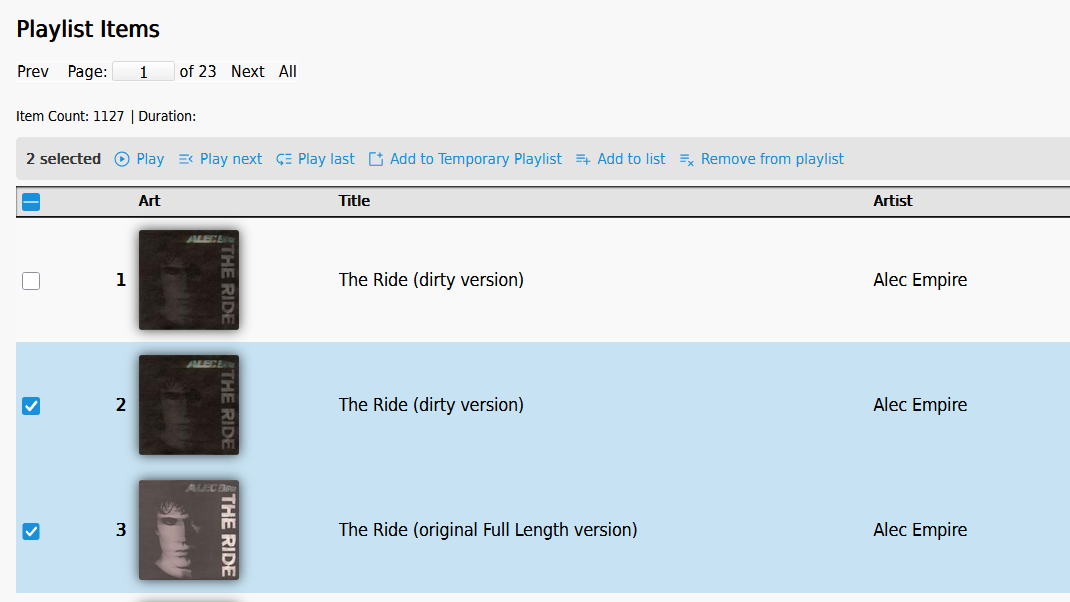
Removing a selection is one request rather than one per row, so a long selection no longer takes a visible moment per entry.
A mixed collection groups your selection by type before acting on it, so playing a selection of albums and songs together works from the one bar.
The address bar shows the page you are on
Ampache used to leave the address bar on /index.php and put the real page in the fragment, so a link you copied out of it often went to the wrong place.
Pages now navigate to their real url (/browse.php?action=album), which means a link can be read, shared and bookmarked.
Old # bookmarks still work and quietly upgrade themselves to the real url when you open them.
Clicking the page you are already on no longer re-fetches it.

The top menu carries everything the sidebar does
If your server uses the optional top menu it now holds the same entries as the light sidebar, gaining Albums, Smartlists, Radio and Log out.
Smartlists follows the Hide the search menu in the sidebar preference, and Radio only appears when live streams are enabled.

A mini player for small screens and simple accounts
There's a new stripped-down /m/ page showing just the web player and your home category plugins.
If your admin locks your account into it you'll only ever see that page (your normal access level still decides what data you can reach - it isn't an access restriction on its own). Otherwise, look for the new Mini player button on the login form, next to Register and Lost Password, to jump there yourself after logging in.
Logging in always sends you back to whatever page you originally asked for, so old bookmarked links keep working either way.
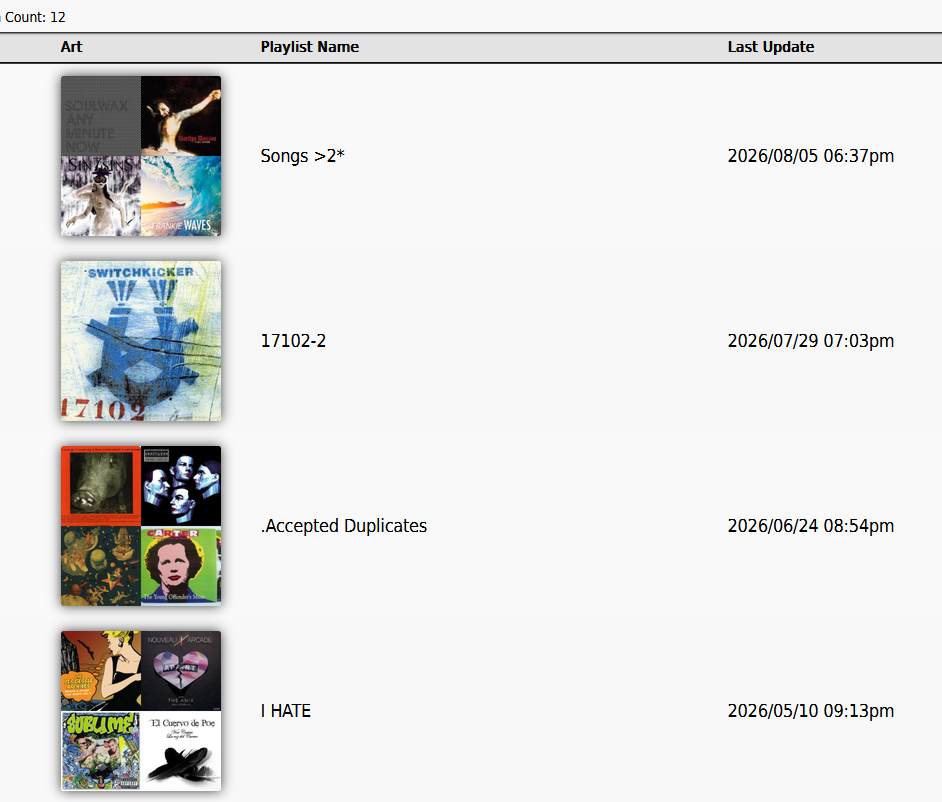
Your playlist art can be a mosaic now
Automatically generated playlist covers can now be a grid of up to nine covers from the playlist, instead of a single random cover. Playlists with fewer than four distinct covers still get the old single-cover behavior. Your admin can turn this off if they'd rather keep the single-cover look.
Per-player transcoding preferences
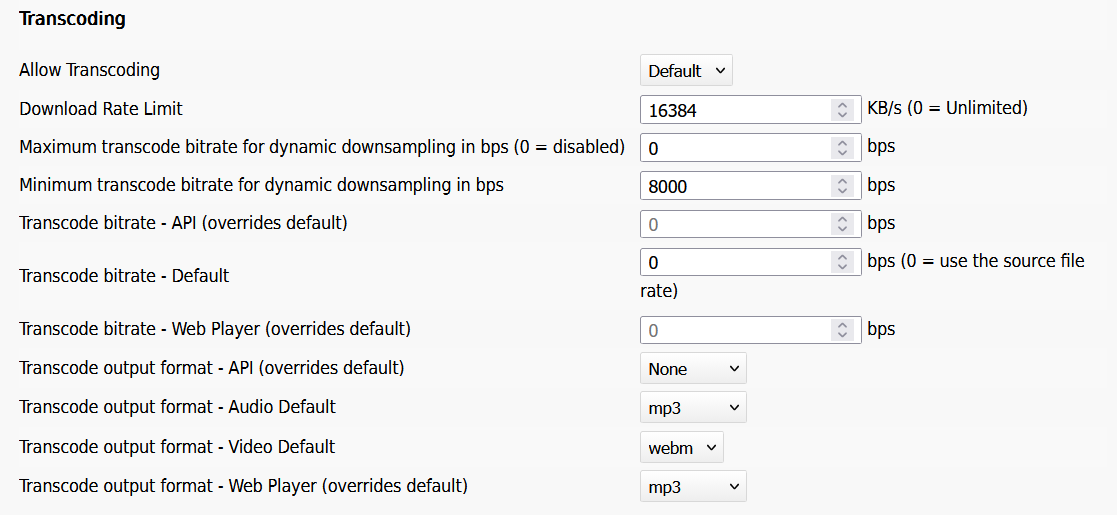
Your default transcode output format and bitrate live in your Options under Streaming -> Transcoding, and now you can override them per player: separate output-format preferences for the Web Player and the API, plus separate bitrate overrides for each (0 keeps the site default). There are also new Maximum transcode bitrate for dynamic downsampling in bps and Minimum transcode bitrate for dynamic downsampling in bps preferences if you want to cap or floor your own dynamic downsampling.
NOTE every bitrate on this page is now in bits per second, not kilobits. 576000 is 576kbps.
Ampache on your phone
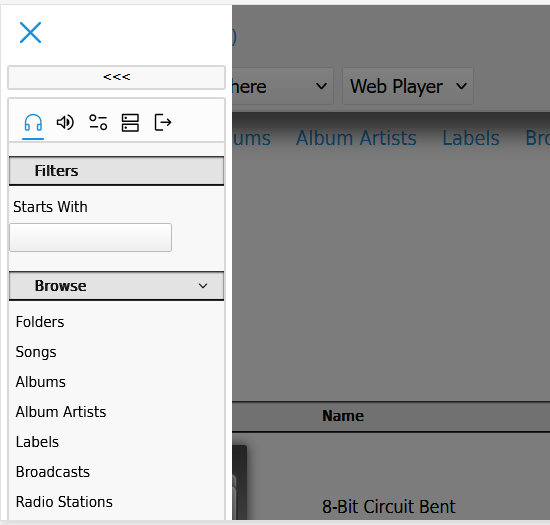
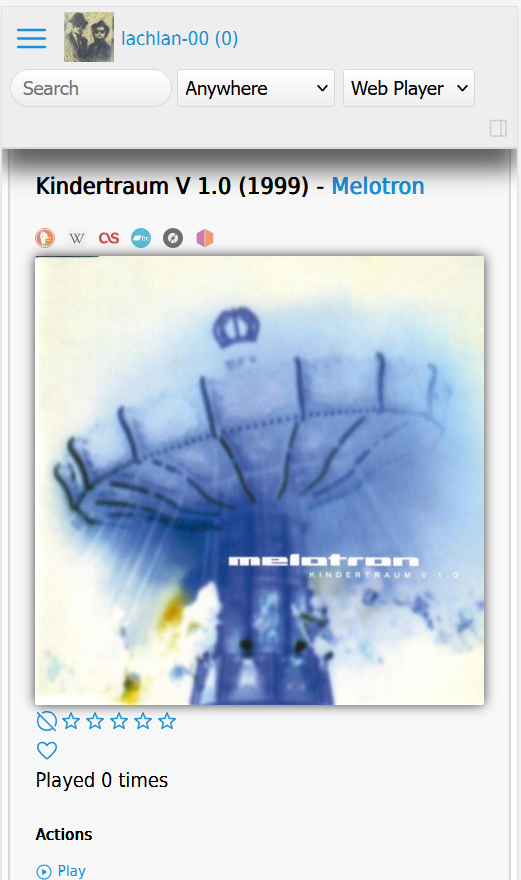
The desktop theme now has a proper mobile layout on screens up to 768px wide.
- The page fits the screen; no more zoomed-out desktop rendering with a stuck player
- A compact header stays pinned to the top with a hamburger menu button
- The sidebar becomes a slide-in drawer with a dim backdrop; tap outside or the X to close
- The temporary playlist drops down below the header from its usual button
- Album, artist and song pages stack the art above the details instead of overlapping
- Wide tables scroll sideways inside their box
The desktop layout is completely untouched.
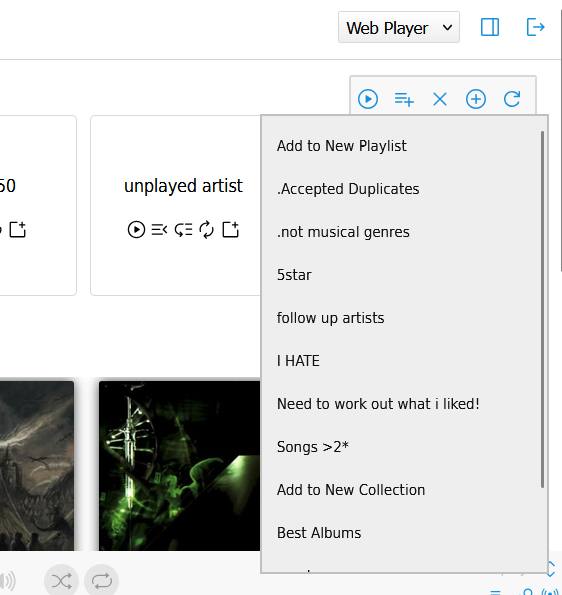
Playlist menus open on click
The Add-to-playlist and Random item submenus in the right sidebar no longer open on hover.
Click to open, click an item or anywhere else to close.
This makes the menus usable on touch screens and stops them vanishing when your mouse slips.
Direct play is capped for very large items
Play buttons on items with thousands of tracks are now hidden past a limit to protect the server.
The Limit direct play to... preference no longer accepts unlimited; anyone set to unlimited is moved to a 500 track cap.
You can still raise the number in your Options if you need more.
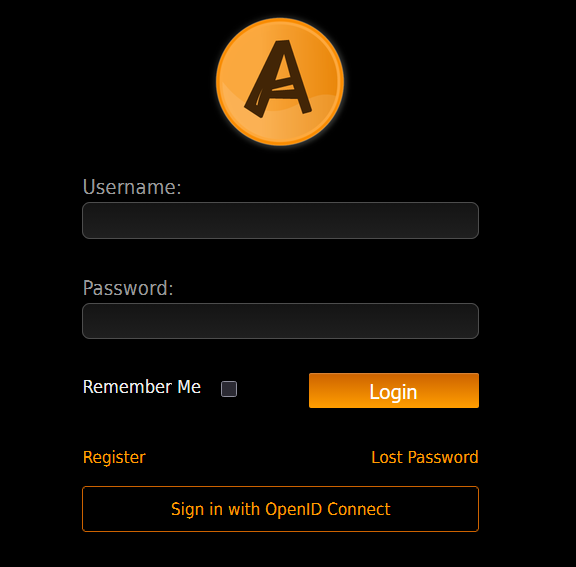
Sign in with OpenID Connect
If your admin has configured a provider you will see a Sign in with OpenID Connect button on the login page. (That message may be customized)
Your account is created automatically on first login.
Some servers may skip the Ampache login page entirely and send you straight to the provider.
OpenSubsonic is the default Subsonic implementation
All Ampache8 users will default to OpenSubsonic to ensure that everyone is using the latest version.
You can still disable OpenSubsonic but the old implementation is now 1.16.1 compatible and does not support OpenSubsonic extensions.
Subsonic clients that request a transcode bitrate now get the bitrate they asked for.
Ampache8 now implements the whole OpenSubsonic specification, so your client should find more of what it looks for.
Songs and albums carry a lot more detail than before, including replay gain, multiple artists and disc titles.
Synced lyrics can now be sent word by word, if your client asks for them and your files are tagged that way.
Clients that report playback as you listen can now keep your now playing entry alive without counting extra plays.
Finding songs that sound alike is also supported, but it needs the AudioMuse plugin set up by your administrator.
A dedicated Subsonic Password
You no longer need to hand your API key to a Subsonic client as its "password". Set a separate Subsonic Password from your account page and use that instead - it's stored encrypted rather than hashed so token-based Subsonic auth keeps working, and your API key still works too if you'd rather keep using that.

Statistics graphs are sharper and load without an extra install
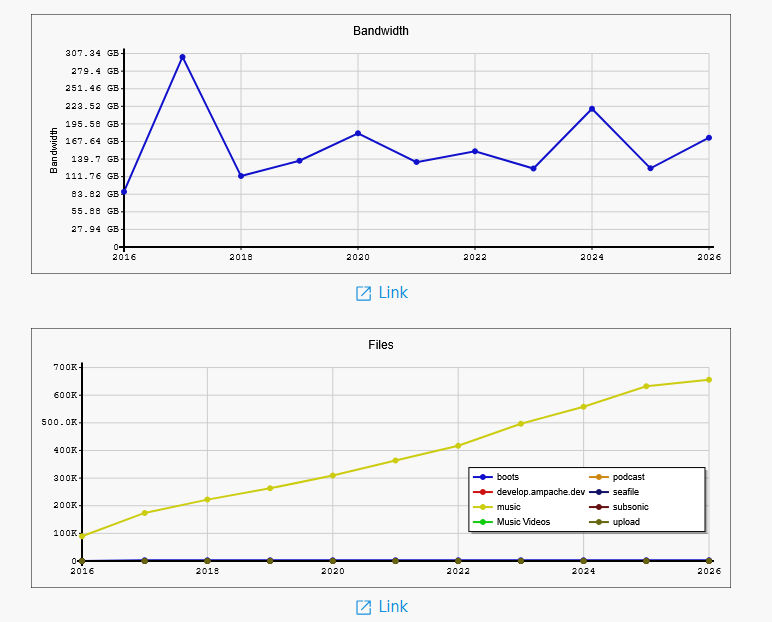
The charts on catalog/statistics pages are now SVG instead of PNG, so they scale to the page and stay sharp on a high-dpi screen. They also no longer depend on your admin having installed an optional non-free library.
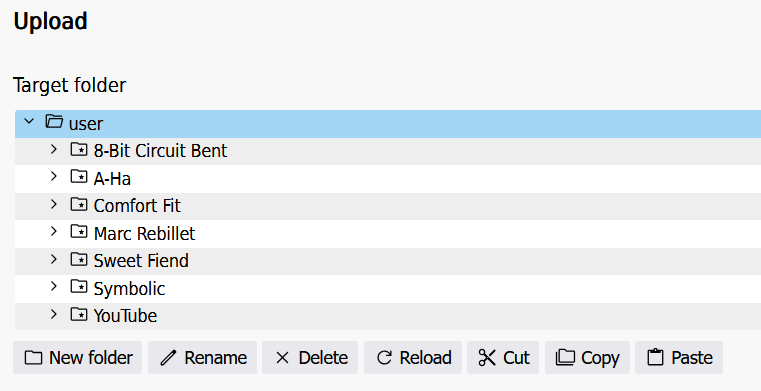
Upload page folder tree fixed
The destination folder tree on the upload page shows its folder, checkbox and chevron icons again.
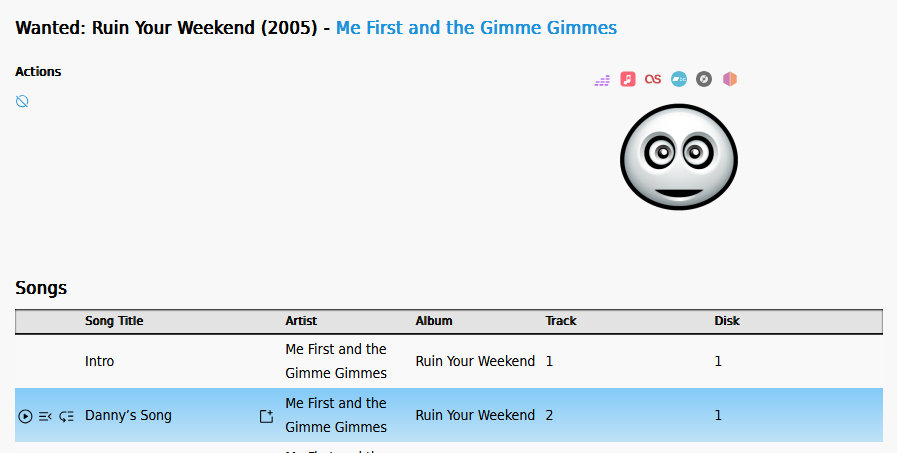
Song previews work again
Tracks on an album in your wanted list can be previewed again; the old provider's api had disappeared and took previews with it.
Previews now come from iTunes and Deezer, giving you the usual 30 second sample. Your administrator only has to install one of the two plugins, and there is nothing for you to set up or sign in to.
Neither service knows Ampache's MusicBrainz ids, so a track is found by artist and title. A track nothing close is found for simply has no preview, rather than playing you a different song.
Smaller fixes you might notice
- Adding songs to a playlist skips duplicates correctly again
- Democratic play shows the configured base playlist when the queue is empty
- Downloads work again on password protected streams
- Podcast pages, rows and episodes show a starting notification when you click Sync, since it can take a while and used to look like nothing happened
- A podcast's own page gets an Update details from the feed button to refresh its title, art and description without doing a full sync
- Podcast descriptions show as normal text instead of raw
<p>/<br>markup - Folders and Podcasts each get their own placeholder image now, instead of Podcasts borrowing the Folders one
- Filters and sorts that used to silently do nothing now work on the Folder, Share, Video, Podcast Episode, Follower, Genre, Broadcast, Mood, Smartlist, User and Wanted browses; you can filter the User browse by username, full name and email
- Artist grid view (and a few other pages) no longer cuts off partway down the page
- Your display name and shout messages are now safely escaped everywhere they're shown, closing two cross-site-scripting issues
New Database Options / User preferences
Added:
Allow Ampache API8 responses- enable or disable the new API8 per userShow 'Folders' link in the main sidebar- show or hide the Folders browse linkShow 'Collections' link in the main sidebar- show or hide the Collections browse linkShow 'Moods' link in the main sidebar- show or hide the Moods browse link- A preference to hide the new Moods column in browse tables, on by default since most libraries don't have moods tagged yet
Require a session to listen to my broadcasts- on by default; turn it off to let anyone with the link listen alongTranscode output format - Audio Default/- Video Default/- Web Player (overrides default)/- API (overrides default)- per-player transcode format overridesMaximum transcode bitrate for dynamic downsampling in bps (0 = disabled)/Minimum transcode bitrate for dynamic downsampling in bps- caps for your own dynamic downsamplingTranscode bitrate - Web Player (overrides default)/- API (overrides default)- per-player bitrate overrides
Your admin may also set Lock this user into the mini player interface on your account; it is an admin-only preference, so it will not appear in your own Options.
Removed:
Authorize Flash Web Player(webplayer_flash)Authorize JavaScript decoder (Aurora.js) in Web Player(webplayer_aurora)Use an alternative playback action for streaming(use_play2)Authorize HTML5 Web Player(webplayer_html5) - the player is HTML5 unconditionally nowAjax page load(ajax_load)
If you download Ampache yourself, the zip names are changing
This only matters if you run your own server and grab the release zips; nothing changes for you if someone else looks after it.
The default download has always been the public build, but its filename still said so. From Ampache9 it won't.
| Old name | New name |
|---|---|
ampache-%VERSION%_public.zip | ampache-%VERSION%.zip |
ampache-%VERSION%_all_%PHP_VERSION%.zip | ampache-%VERSION%_%PHP_VERSION%.zip |
Ampache8 releases include both names, and each pair is the same zip with the same checksum, so pick whichever you like. The _squashed and _client downloads are unchanged.
The one you probably want is ampache-%VERSION%_php8.5.zip - it has everything included and needs no extra install steps.
Which zip? explains the rest, and there is more detail on the Ampache8 for Admins page.