Themes
Ampache Themes
Ampache has an integrated theme system that allows users to modify the CSS/images and can be configured on a per user basis.
Themes live in public/themes/ in a git checkout. A packaged release copies the contents of public/ to the webroot, so on an installed server the same directory is simply themes/. Paths on this page are given from the source tree.
Reborn colors
Ampache ships one theme, reborn, with various colors to choose from under Preferences → Interface → Theme color.
Ampache 8.4.0 added 13 new color profiles for you to choose from on top of the older Dark and Light styles.
|
|
|
|
|
|
|
|
|
|
|
|
|
|
|
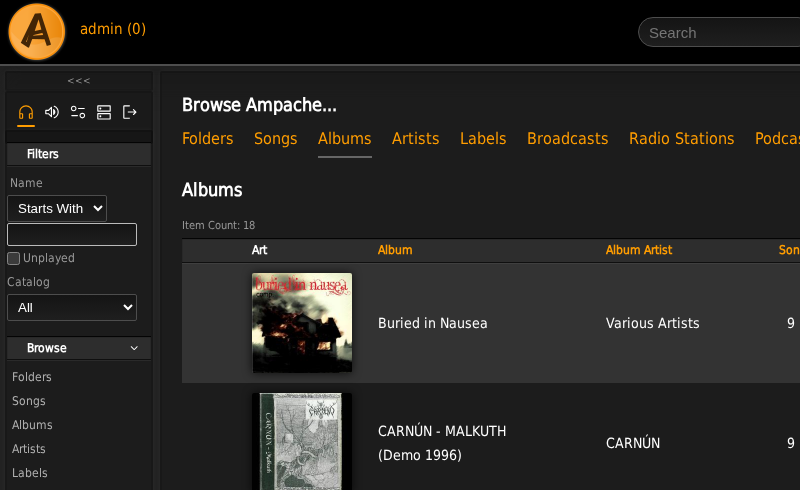
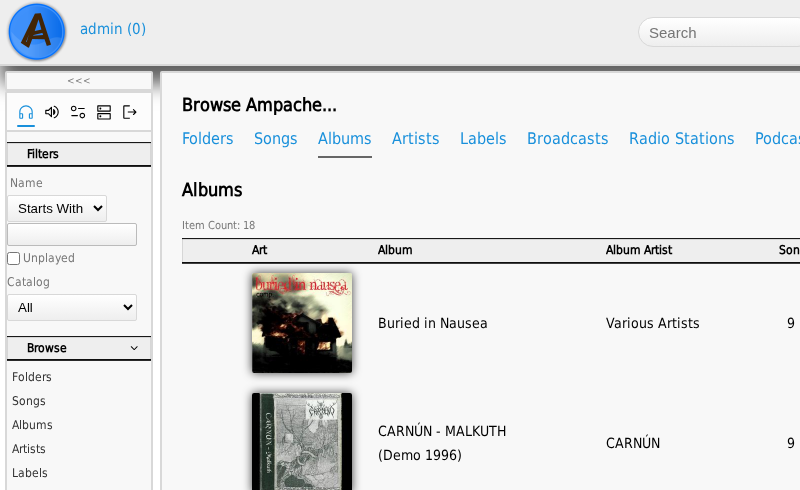
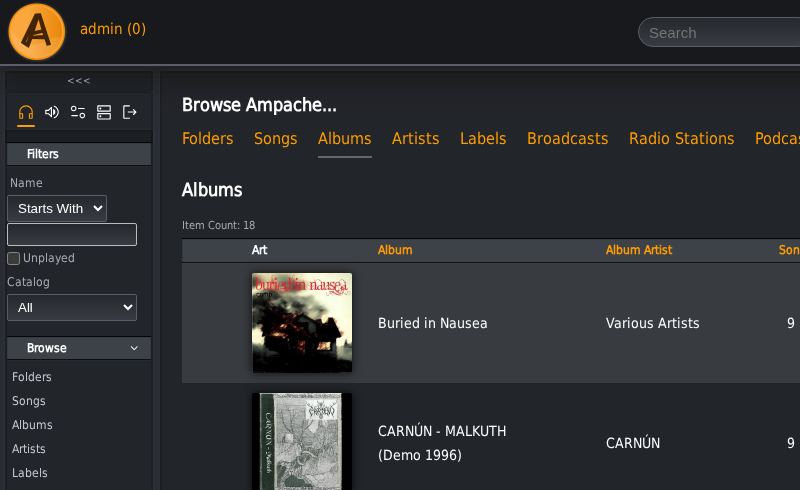
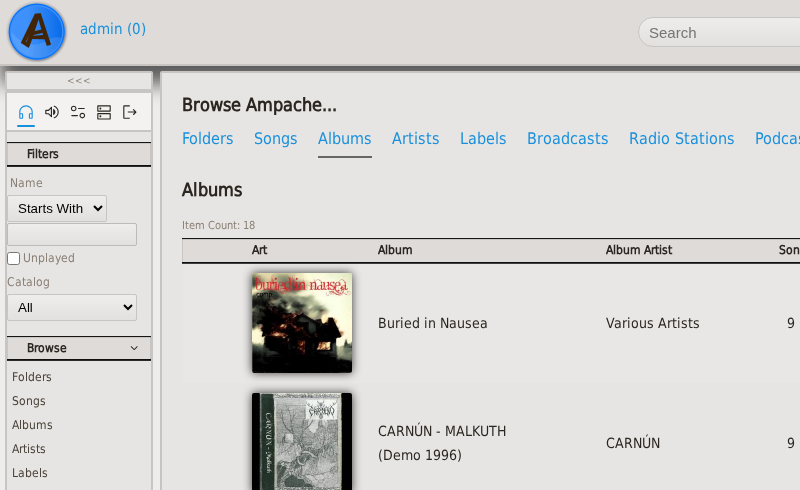
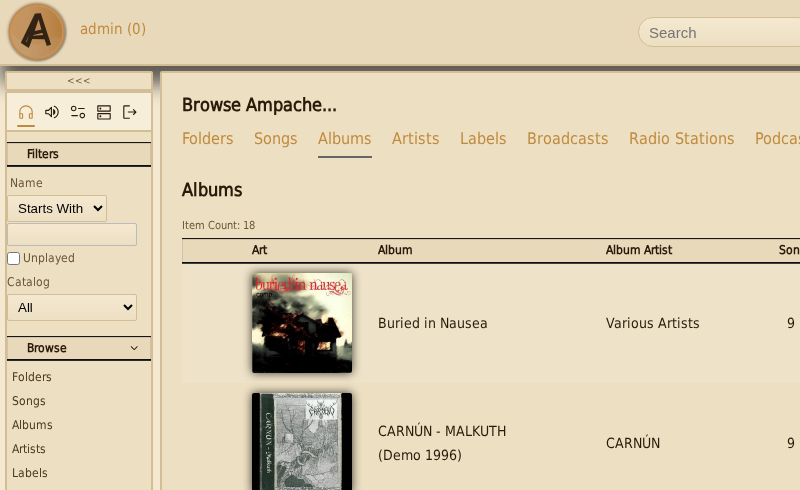
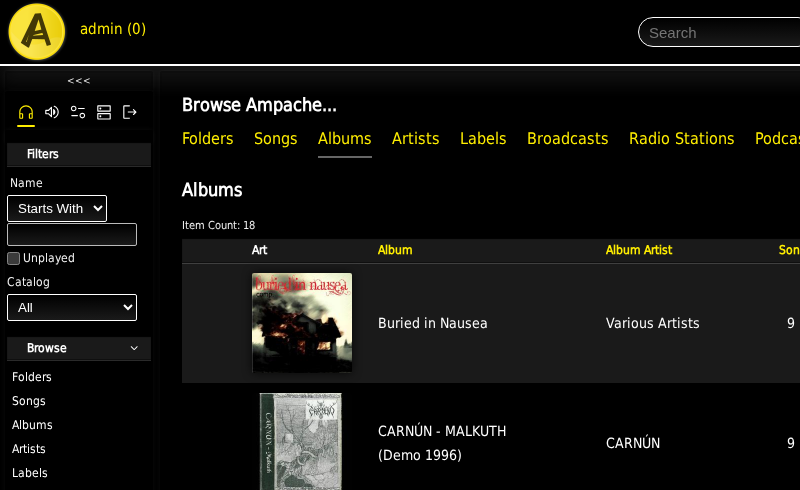
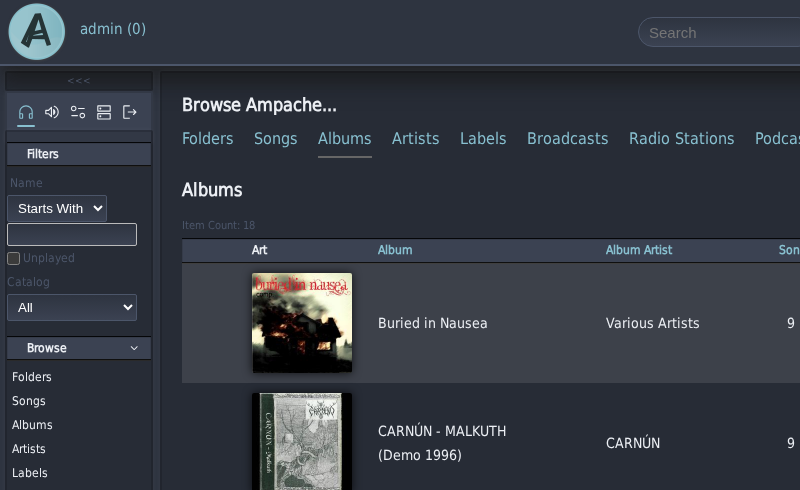
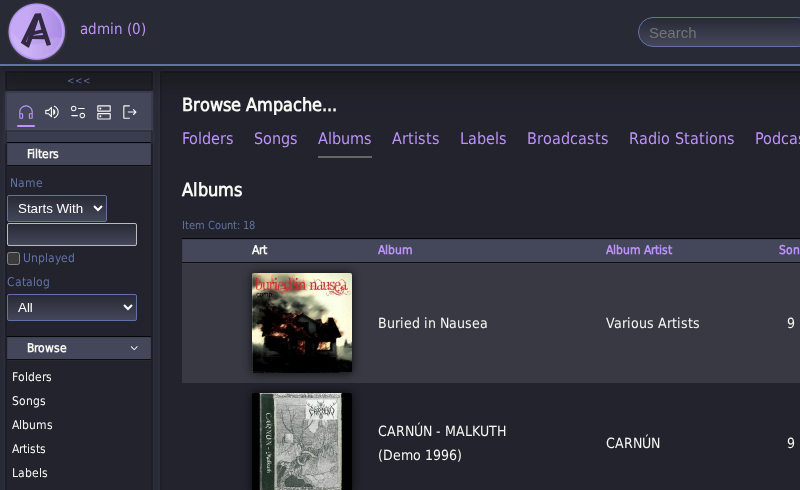
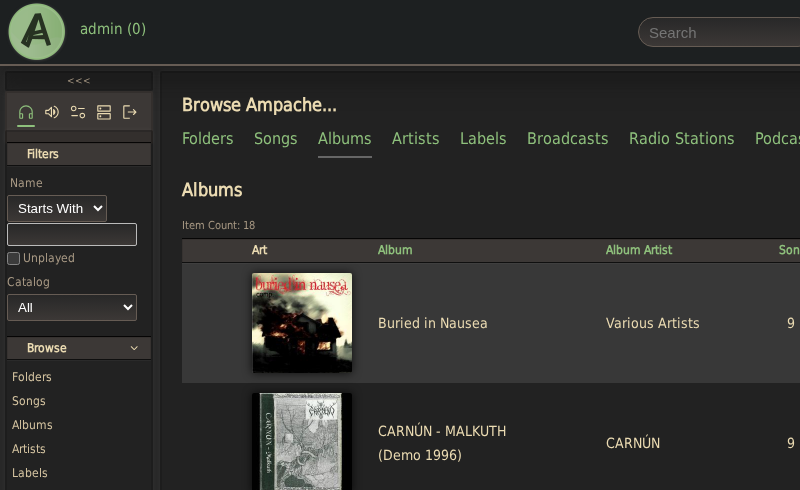
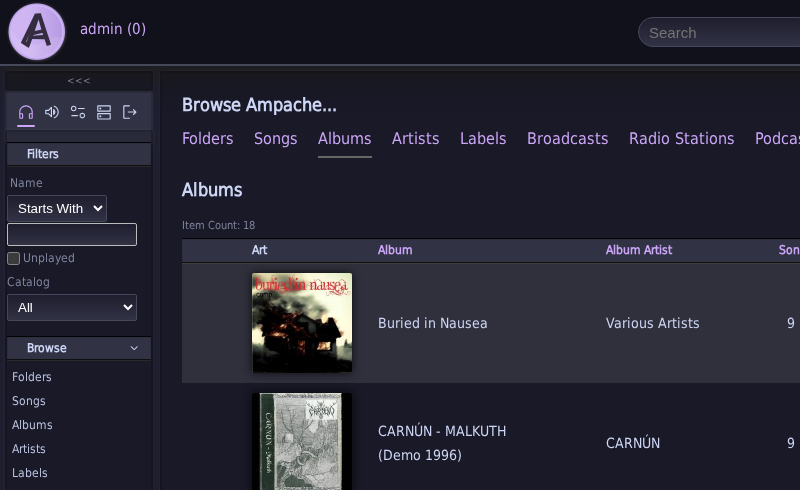
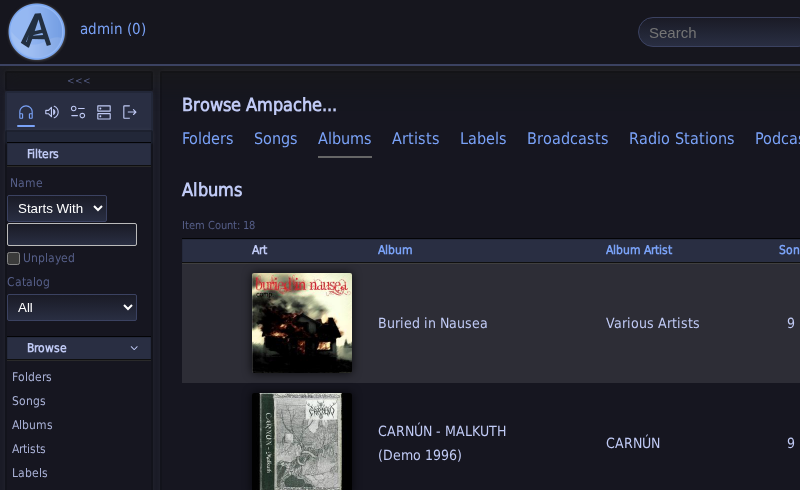
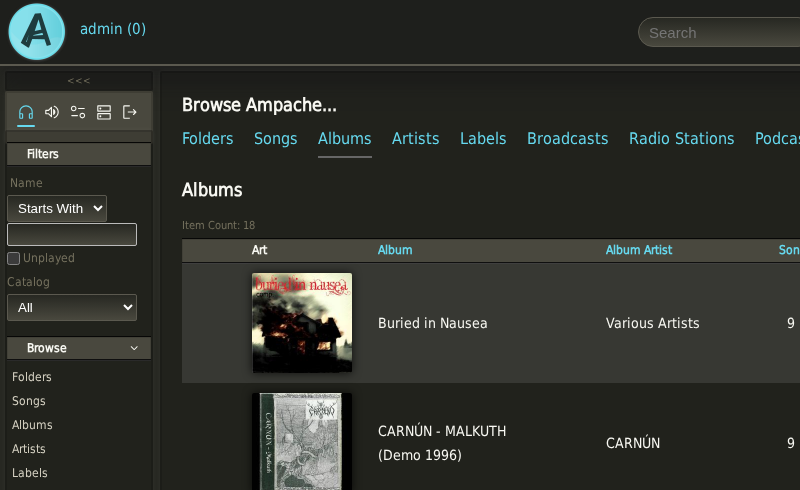
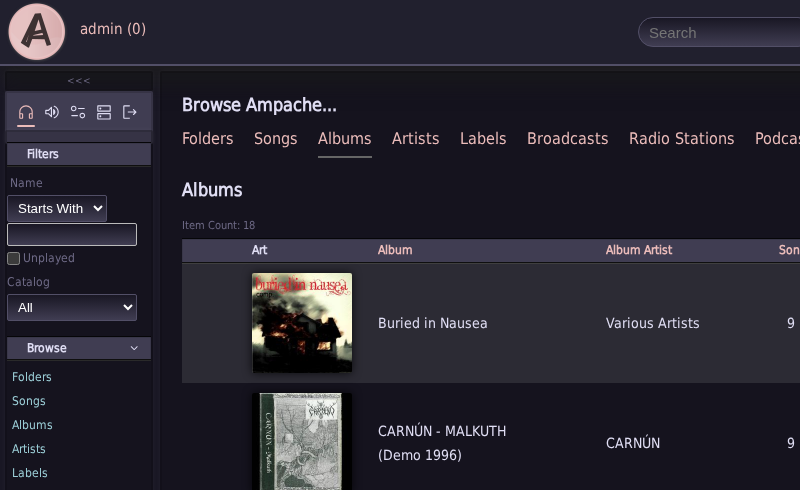
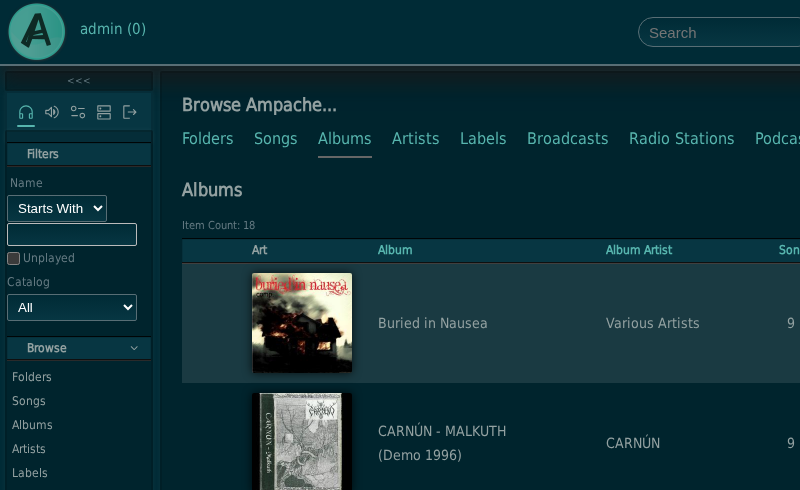
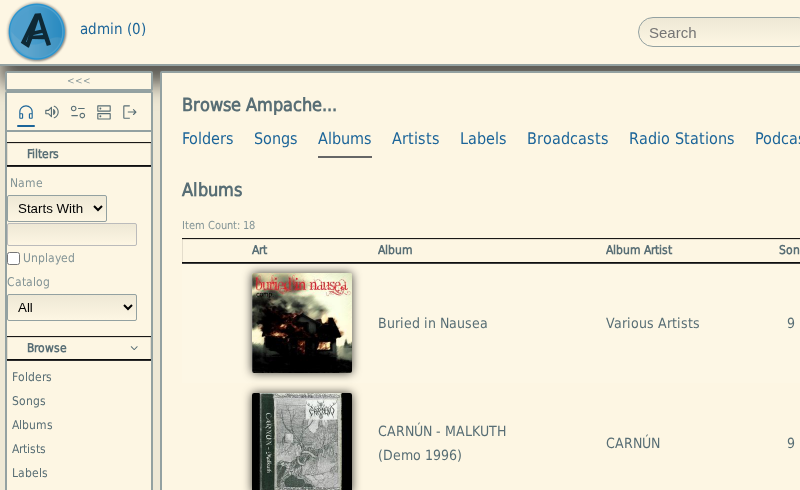
Dark, Light, Dusk, Dawn, Sepia and High-Contrast are based on reborn's own palettes.
Nord, Dracula, Gruvbox, Catppuccin Mocha, Tokyo Night, Monokai, Rosé Pine and the Solarized pair follow the same well-known community color schemes you may recognize from terminals, editors and other self-hosted music clients such as Navidrome.
Theme Directory Structure
The theme directory is fairly straightforward.
Only theme.cfg.php is mandatory for Ampache to see a theme: it globs public/themes/*/theme.cfg.php, so a directory without one is not a theme and never appears in the list.
Most other files fall back — an image, an icon or a template your theme does not carry is served from Ampache's own copy, so a theme only needs the files it actually changes.
public/themes/<theme name>/
├─ images/
│  ├─ ampache-dark.png            one per color, required
│  ├─ ampache-light.png
│  ├─ ajax-loader.gif             required
│  ├─ ajax-loader-light.gif       required if you offer a light-based color
│  ├─ icons/                      optional
│  │  └─ icon_*.svg | icon_*.png
│  └─ *.svg | *.png               optional overrides
├─ templates/
│  ├─ fonts/                      optional
│  │  ├─ *.css
│  │  ├─ *.ttf
│  │  └─ *.etc
│  ├─ default.css                 named by the `base` key
│  ├─ dark.css                    one per `colors` entry
│  ├─ light.css
│  └─ rtl.css                     optional
└─ theme.cfg.php                  required
Files with no fallback
Two groups are built as direct paths into your theme with no check that the file exists. Omit them and you get a broken image rather than Ampache's version.
images/ampache-<color>.png— the logo, one per entry incolors.colors = "Dark,Light"meansampache-dark.pngandampache-light.png.images/ajax-loader.gif— the mini player's loading spinner.ajax-loader-light.gifis used for any color whosecolor_basesentry islight; every color based ondarkgets the unsuffixed file. A color's own name does not matter here — only its declared base does, which is what lets a theme add colors likeDuskorSepiawithout touching this logic at all.
Images
The images/ directory contains all images that will be used by Ampache. Files at the root of that folder are reached in three different ways.
- From your own CSS, by relative path. Reborn's
dark.csspoints../images/ajax-loader.gif,../images/missing.pngand../images/videoplay.svgat files here. These are entirely yours — Ampache never looks at them. - From PHP, by a direct theme path.
Ui::get_logo_url('dark')buildsimages/ampache-dark.pngand the mini player buildsimages/ajax-loader.gif. Neither checks the file exists, which is why they are listed under Files with no fallback above. - Through
Ui::get_image('filename'), which does fall back. It prefers.svgover.pngand searches your theme first, thenresources/images/, thenpublic/images/.
Icons
Within images, is the optional icons/ directory. All files in the folder are prefixed with icon_. These are the older icons found in the Ampache interface, fetched using get_icon($name, $title), where $name is the part of the filename after icon_, and $title is the title/alt text that shows when you hover over it.
Lookup prefers icon_<name>.svg over icon_<name>.png, and searches your theme first, then resources/images/, then public/images/. A name that matches nothing logs a runtime error and renders icon_error.svg. Reborn ships no icons/ directory at all — every icon it uses comes from Ampache's own copies, so you only need this folder for the ones you actually replace.
If the icon is an SVG, then it will return the entire <svg> tag within the icon's file. Otherwise, for .png, .jpg, etc. it will return an <img> tag.
The reason SVGs are not using the <img> tag, is so that styles can be applied to icons using an external style sheet. This provides much more flexible styling for SVG files, than if you were to use <img> or to put it in the CSS property background_image.
ID and Class Attributes
Some icons will also provide an ID or Class attribute that will be assigned to the image's tag. For SVGs no id is set unless one is passed, and the class defaults to icon icon-<name> — so get_icon('play') renders class="icon icon-play", giving you both a hook for every icon and one for that specific icon. PNGs get neither attribute unless it is passed.
Material Symbols
Most of the interface no longer uses icon_* files at all. The sidebar, the headers and the row actions are drawn with Material Symbols, fetched with Ui::get_material_symbol($name, $title, $id, $class) and read from resources/images/material-symbols/.
These are not part of a theme. Each symbol is inlined once per page as a hidden <symbol> and reused with <use>, which is why hundreds of icons cost one copy each. A missing name falls back to icon_error.svg and logs a runtime error rather than rendering nothing.
Because they are plain SVG paths that inherit currentColor, you restyle them from your theme's CSS rather than by shipping replacement files.
Ratings
Reborn still carries an images/ratings/ folder holding star_rating.gif and star_rating.png, but nothing in Ampache or in the theme's own stylesheets references either file any more. Ratings are drawn with Material Symbols. Do not add this folder to a new theme.
Templates
This is the main folder containing all of a theme's styles, and it is the only folder Ampache loads stylesheets from.
Three kinds of file live here.
The base stylesheet
Every file named in the base key of theme.cfg.php is loaded first, in order. This is the theme's layout: geometry, spacing, sizing, everything that is not a color. Reborn ships one, default.css.
Each entry is [css_path]|[media_type], so default.css|screen loads default.css for screen media. Separate multiple bases with , .
Ampache's own templates/base.css is loaded after your base file and before the color file, so a rule of yours at the same specificity loses to it. Raise the specificity rather than fighting it with !important.
The color stylesheets
One file per entry in the colors key, named in lower case — colors = "Dark,Light" means dark.css and light.css. Exactly one is loaded, chosen by the user's theme_color preference, and it is loaded last so it always wins.
Keep color in these files and geometry in the base file. A layout rule that only exists in dark.css is a layout rule the light theme does not have.
Optional files
rtl.css— loaded only when the user's language is right-to-left. Ampache skips it silently if it does not exist.fonts/— self-hosted webfonts and the@font-faceCSS that declares them, referenced from your own stylesheets.- Template overrides — any file in
templates/whose name matches one of Ampache's own templates replaces it for this theme. Non-PHP files are always allowed; PHP templates are only honored whenallow_php_themesis enabled inconfig/ampache.cfg.php, which is off by default because a theme that can overwrite PHP can run code.
Cache busting
Theme stylesheets are requested with a ?v= query built from the file's modification time, so an edit is picked up on the next normal reload without a version bump. A browser that already cached a file may still need one hard refresh.
theme.cfg.php
The config file is an INI file with a <?php exit(); ?> guard on the second line so it can never be served or executed. Keep that guard when you copy a theme.
| Key | Meaning |
|---|---|
name | The display name shown in the Theme preference. This is what a user picks, but the value stored is the directory name |
base | Comma-separated file.css + media-type list (default.css|screen), loaded first and in order |
colors | Comma-separated color names; each becomes a lower-case <name>.css in templates/ and fills the Theme color preference. A multi-word name uses a hyphen (High-Contrast), never a space — the stored value and every filename built from it are strtolower($name) |
color_bases | Comma-separated dark/light, one per entry in colors, same order. Tells Ampache which family a color belongs to for everything that picks an asset or a highlight by light/dark (the mini player's loading spinner, the generated placeholder art, the web player's highlight color and ReplayGain icon) instead of matching the color's name. Optional per the parser, but a color with no entry here falls back to being treated as dark — unless the color's own name is literally light, kept for themes written before this key existed |
author | Theme author |
maintainer | Who to contact about it |
Choosing a theme
theme_name and theme_color are per-user preferences with an access level of Default, so every user — including a guest — can pick their own unless an admin raises the level. See Preferences.
If the stored theme directory has been deleted, Ampache ignores the stored value for that request and falls back to reborn rather than rendering an unstyled page. The same happens per color: if templates/<theme_color>.css is missing, it falls back to the first entry in the theme's colors list. Neither case rewrites the database, so restoring the directory restores the user's choice.
Creating a New Ampache Theme
If you're interested in creating your own theme, the easiest way is to copy an existing theme in public/themes/, and edit the files as needed. Once you have edited the name field inside the theme.cfg.php file, it should automatically populate in your Ampache install as an available theme.
A few things worth knowing before you start:
- The directory name is the identity. Renaming a theme's folder orphans every user who had it selected; changing
namein the config file is safe. - Adding a color means adding files. Each name in
colorsneeds a matching entry incolor_bases(darkorlight), bothtemplates/<color>.cssandimages/ampache-<color>.png; the stylesheet has a fallback and the logo does not. - Write the color file against the shared
--amp-*CSS variables (--amp-bg,--amp-text,--amp-accent, and so on) rather than hardcoding every selector's color — most of reborn's own rules now live once indefault.cssand read these variables, so a new color file is mostly just a:rootblock declaring them, plus the handful of rules (confirm-dialog chrome, the native<select>popup) that still need an explicit value per color. rebornis desktop-first. Its mobile support is a single@media (max-width: 768px)block at the end ofdefault.css, and the color files only carry mobile drawer/toast backgrounds. If you fork it, keep that split.- Test every color you ship, not just the one you designed against. A rule you add to
default.cssapplies to every color; one you add todark.cssdoes not.