Ampache8 for Admins
Ampache8 for Admins
This page will cover the visual, backend and Admin specific changes to Ampache.
User specific changes are available at Ampache8 for Users
There are a few changes in Ampache8 that might block you upgrading.
Consider all the changes before upgrading.
Try it out Ampache8 using git
The develop branch is holding the current WIP of Ampache8.
NOTE This used to be the develop8 branch. Ampache8 is now the mainline, so develop is Ampache8 and the Ampache7 line lives on release7.
You can check out a new install on the branch.
git clone -b develop https://github.com/ampache/ampache.git ampache8
Or you can pull the branch onto your current system.
git checkout develop
If you were already tracking develop8, point your checkout at the new branch.
git fetch origin
git checkout develop
If you have any issues you can reset the branch forcibly with.
git reset --hard origin/develop
Then after the reset make sure you run composer and NPM.
composer update --no-dev --prefer-dist
npm install
npm run build
You can verify your NPM install has complete using the verify:install command.
npm run verify:install
Docker
We will start building official Ampache8 images for docker closer to release.
In the meantime the docker-compose.yml in the repository is now a full development stack.
It builds docker/Dockerfilephp85 (PHP 8.5) and adds a MariaDB service with a persistent volume and healthcheck.
New environment variables allow a zero-touch first run: DB_HOST, DB_PORT, DB_NAME, DB_USER, DB_PASSWORD, AMPACHE_DB_USER, AMPACHE_DB_PASSWORD, AMPACHE_ADMIN_USER, AMPACHE_ADMIN_PASSWORD and AMPACHE_ADMIN_EMAIL.
The entrypoint creates the .htaccess files from their .dist versions, runs composer and npm when missing, installs the database and creates the admin user.
Set DB_NAME to an empty value if you want to use the web installer instead.
The php8.2, php8.3 and php8.4 Dockerfiles have been removed.
Rollback to Ampache7
Ampache8 now makes real database changes. (New tables, new preferences and data resets)
Ampache 7.10.0 added the downgrade path from Ampache8 so make sure you are on the latest Ampache7 release before trying it out.
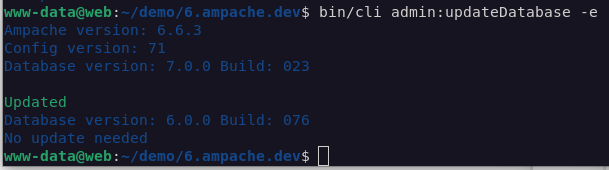
To go back, check out your Ampache7 branch and run the update command; the database will be downgraded to match your version.
php bin/cli admin:updateDatabase -e
PHP Version support
The first major change is that Ampache8 supports PHP8.5+ ONLY!
Builds will no longer support other versions.
Your distribution probably doesn't ship PHP8.5 yet, and you don't have to wait for it.
Both of the third party repositories below are maintained by the people who package PHP for the distributions themselves.
PHP8.5 on Debian and Ubuntu (Sury)
On Debian, add the Sury repository.
sudo apt-get update
sudo apt-get -y install lsb-release ca-certificates curl
sudo curl -sSLo /tmp/debsuryorg-archive-keyring.deb https://packages.sury.org/debsuryorg-archive-keyring.deb
sudo dpkg -i /tmp/debsuryorg-archive-keyring.deb
sudo sh -c 'echo "deb [signed-by=/usr/share/keyrings/debsuryorg-archive-keyring.gpg] https://packages.sury.org/php/ $(lsb_release -sc) main" > /etc/apt/sources.list.d/php.list'
sudo apt-get update
On Ubuntu, use the same maintainer's PPA instead.
sudo add-apt-repository ppa:ondrej/php
sudo apt update
Then install the versioned packages Ampache needs.
sudo apt install php8.5 php8.5-curl php8.5-gd php8.5-intl php8.5-mbstring php8.5-mysql php8.5-xml php8.5-zip
Every version is co-installable, so PHP8.5 goes on beside the one your system already uses.
PHP8.5 on RHEL, Rocky, Alma and Fedora (Remi)
Install the release package for your version, replacing 9 with 10 on Enterprise Linux 10.
sudo dnf install https://rpms.remirepo.net/enterprise/remi-release-9.rpm
On Fedora use the matching Fedora release package instead.
sudo dnf install https://rpms.remirepo.net/fedora/remi-release-43.rpm
Then switch the module stream to PHP8.5 and install.
dnf module list php
sudo dnf module reset php
sudo dnf module install php:remi-8.5
sudo dnf install php-curl php-gd php-intl php-mbstring php-mysqlnd php-xml php-zip
Run dnf module list php first to confirm the stream name on your release.
Staying on Ampache7 instead
If you can't move your server yet, stay on the patch7 or release7 branch by checking out the git branch.
git checkout patch7
Release zip names are changing
The public structure has been the default for a long time, but its zips still carried a _public or _all marker naming it. From Ampache9 the default drops both.
| Old name | New name |
|---|---|
ampache-%VERSION%_public.zip | ampache-%VERSION%.zip |
ampache-%VERSION%_all_%PHP_VERSION%.zip | ampache-%VERSION%_%PHP_VERSION%.zip |
Ampache8 releases ship both names so nothing breaks while you move over. Each pair is an identical copy of the same zip and the release notes list the same checksum for both, so it makes no difference which one you download.
Because Ampache8 is PHP8.5 only, there is one all-in-one build per release and it is ampache-%VERSION%_php8.5.zip.
The _squashed and _client releases are unchanged and keep their suffixes.
If you have a script, an Ansible task or a cron job that fetches a release by filename, point it at the new names now — the old ones go away in Ampache9.
See Which zip? for the full breakdown of the build types.
PHP fileinfo extension is required
To make sure the new Captcha works, the core php fileinfo module is being used.
This is usually included in Linux with PHP installs but platforms like Windows may require that you enable the extension.
In your php.ini, make sure the extension is uncommented.
extension=fileinfo
Transcoding bitrates are sent in full bps: remove the k from your config
Ampache 7.8.0 asked you to add a k to all %BITRATE% values in your encode_args_* settings.
Ampache8 reverses this: the bitrate is now expanded to full bps before it is inserted into your transcode command.
The config defaults have changed from %BITRATE%k back to %BITRATE%.
; e.g. the new default mp3 encode args
encode_args_mp3 = "-vn -b:a %BITRATE% -c:a libmp3lame -f mp3 pipe:1"
NOTE your config file is not rewritten for you, but a leftover k is not a breakage: the substitution consumes a trailing k or K along with the placeholder, so an Ampache7 %BITRATE%k line still expands to 128000 rather than 128000k. Dropping it matches the new defaults and is worth doing while you are in the file. encode_args_ts uses %MAXBITRATE%, expanded the same way from the maxbitrate stream URL argument.
New output profiles are available if you want to add them to your own encode_args_* config: mp3_rg, mp3_car, opus_rg and opus_car (ReplayGain-aware variants, never written to the transcode cache), plus a fragmented-MP4 m4a profile.
Transcoding preferences moved per-user
encode_target, encode_video_target and the per-player encode_player_webplayer_target/encode_player_api_target settings used to live only in ampache.cfg.php. In Ampache8 they are per-user preferences under Streaming -> Transcoding instead; your existing config values just seed the default the first time a user's preferences are created on upgrade, so nothing changes for users until they open that page.
Two more per-user preferences add dynamic downsampling: max_bit_rate/min_bit_rate let a user cap and floor their own transcode bitrate, and transcode_bitrate_webplayer/transcode_bitrate_api override the bitrate per-player (0 uses the site default transcode_bitrate).
An explicit format= request parameter still always takes priority over the target preferences.
Playlist art mosaic
Automatically generated playlist cover art can now be a mosaic of up to nine covers from the playlist instead of a single random cover. Playlists with fewer than four distinct covers keep the old single-cover behavior.
; DEFAULT: "true"
playlist_art_mosaic = "true"
Set playlist_art_mosaic_fallback to true if you'd rather a playlist with no art of its own got a generated mosaic than the blank placeholder; the image is only built once and then stored as that playlist's own art.
; DEFAULT: "false"
;playlist_art_mosaic_fallback = "true"
Statistical Graphs no longer need ext-gd
Graphs are now drawn by goat1000/svggraph (LGPL-3.0) instead of szymach/c-pchart. Since it's a normal dependency rather than a dev-only one, a release download works out of the box with nothing extra to install — see the updated Charts and Graphs page.
Graphs render as SVG instead of PNG, so they scale to the page and stay sharp on a high-dpi screen, and statistical_graphs now defaults to "true". Set it to "false" to skip the graph queries entirely on a very large catalog.
Database changes for Ampache8
Ampache8 brings the first new database updates since the version split. They run as migrations 800000 to 800048.
php bin/cli admin:updateDatabase prints the whole list for your install without writing anything; add -e when you are ready to apply it.
New tables
folderandfolder_map, holding a virtual folder tree for each catalogobject_count_summaryandobject_count_archive, for play history consolidationcollectionandcollection_map, holding collectionsmoodandmood_map, holding moodsplaylist_folderandplaylist_folder_map, holding playlist folders
New and changed columns
- New
user.subsonic_secretcolumn holding the per-user Subsonic Password - New
last_playedcolumn onalbum,album_disk,artist,podcast,podcast_episode,songandvideo, backfilled from your existing play history - New
position_ms,playback_rateandstatecolumns onnow_playing, holding what an OpenSubsonic client reports throughreportPlayback - New
artist.lastfm_urlcolumn keeping the last.fm page url with the rest of the cached artist info label_assogains a nullablealbumcolumn and itsartistcolumn becomes nullable, so a label can be associated with an album as well as an artistsong_preview.filewidened tovarchar(4096)so the signed preview urls from iTunes and Deezer are not truncated- New
song_data.bpmcolumn - see BPM tag_map.user(and the newmood_map.user) is now populated instead of always0- see Hand-set tags and moods survive a rescanobject_count,user_activity,user_dataandnow_playingaccept the system user (-1) on databases where theusercolumn wasUNSIGNED. Existingshare.phpplays are re-attributed from user0to-1
object_type enum changes
folderadded tocache_object_count,cache_object_count_run,image,object_count,rating,tag_map,user_activityanduser_flagcollectionadded tocache_object_count,cache_object_count_run,image,object_count,object_count_archive,object_count_summary,ratinganduser_flagwantedadded toimage, so a wanted album keeps the art it gathered
Keys and indexes
- The
unique_collection_mapkey was dropped fromcollection_map, so whether a collection may hold the same object twice is decided by the per-userunique_playlistpreference rather than by the schema - Dropped four redundant
object_countindexes that duplicated or prefixedobject_count_UNIQUE_IDX/object_count_date_IDX - New index on
album.addition_timeandartist.addition_timeso the "newest" lists stop at the rows they display - New index on
object_count.geo_latitude,geo_longitudeso a cached place name is a lookup - New index on
user_flag.object_type,dateso the newest flagged lists stop at the rows they display
Preferences added
api_enable_8(Allow Ampache API8 responses)show_folder(Show 'Folders' link in the main sidebar)show_collection(Show 'Collections' link in the main sidebar)mini_player(Lock this user into the mini player interface)broadcast_private(Require a session to listen to my broadcasts) — per user, on by defaultcron_cache_live_count(Add live plays to the cached count for accurate stats) — admin-only, off by default. Withcron_cacheenabled the played counters are read from the cache and only refreshed by the cron task, so they lag until the next run; this adds the plays recorded since the last run to the cached value at the cost of an extra query per count- Per-user transcoding preferences
encode_target,encode_video_target,encode_player_webplayer_target,encode_player_api_target,max_bit_rate,min_bit_rate,transcode_bitrate_webplayerandtranscode_bitrate_api— see Transcoding preferences moved per-user show_mood(Show 'Moods' link in the main sidebar)hide_moods(hide the Moods column in browses) — on by default
Preferences removed
webplayer_flashandwebplayer_aurora— the Flash and Aurora.js fallbacks are goneuse_play2— the play2 stream action was merged into playwebplayer_html5— obsolete, the player is HTML5 unconditionallyajax_load— obsoletetranscode_bitrate_formats— replaced by the per-playertranscode_bitrate_webplayer/transcode_bitrate_apioverrides7digital_api_keyand7digital_secret_api_key— the plugin they configured has been deleted
Data changes applied on upgrade
- Any user with
subsonic_legacyenabled has it disabled (OpenSubsonic becomes the default) - Any
direct_play_limitset to 0 (unlimited) is reset to a cap of 500 tracks - Existing
transcode_bitrate,max_bit_rateandmin_bit_ratevalues are migrated to bits per second (see Transcoding bitrates are sent in full bps above) - Uploaded art with a corrected mime type (
.jpgno longer stored as the invalidimage/jpg) - The misleading
disabled_custom_metadata_fields_inputpreference label is corrected - Missing
podcastrows are added toobject_countfor episode plays that predate podcast play counting - The obsolete
update_countsrow is removed fromupdate_info; it timed a sweep that no longer exists folderrows whosepath_nameis a bare directory name are removed. The next catalog Scan Folders recreates them with their real pathalbum.subtitle,folder.playable,folder.weightand thefolder_mapname/catalog/path columns are restored on databases installed from a staleampache.sql
NOTE The object_type enum updates also delete orphaned rows that reference an invalid object type. This is bad data cleanup but it is destructive, so back up your database before updating.
Play history consolidation
Large, long-running servers can end up with millions of rows in object_count. Ampache8 can now roll old detail rows up into summary counts.
Set stats_consolidate_threshold in your config to the number of days of detailed play history you want to keep (the default 0 disables consolidation entirely):
; Keep 2 years of detailed history, consolidate anything older
stats_consolidate_threshold = 730
Run the new CLI command to consolidate anything past the threshold. Like most cleanup commands it defaults to a dry-run; pass -e to actually write:
php bin/cli cleanup:consolidateStats -e
Consolidation is lossless: nothing is discarded. Detail rows past the threshold move into object_count_archive and get rolled up into object_count_summary; play counts, played flags and streamed data size stay exact. Only period-based statistics (trending, recent, graphs, Last.fm export), smart playlist play-history rules, and play-count sorting only see the retained window — and the "Recently Played" smart playlist rule only reaches back as far as the retained window, since it needs individual timestamps.
If you need the detail back (to re-run a report over the full history, or you consolidated too aggressively), restore it with:
php bin/cli cleanup:restoreStats -e
This puts the archived detail rows back and regenerates the album, album_disk, artist and podcast counts from them.
An example systemd unit and timer for running consolidation on a schedule is in docs/examples.
OpenID Connect (OIDC) login
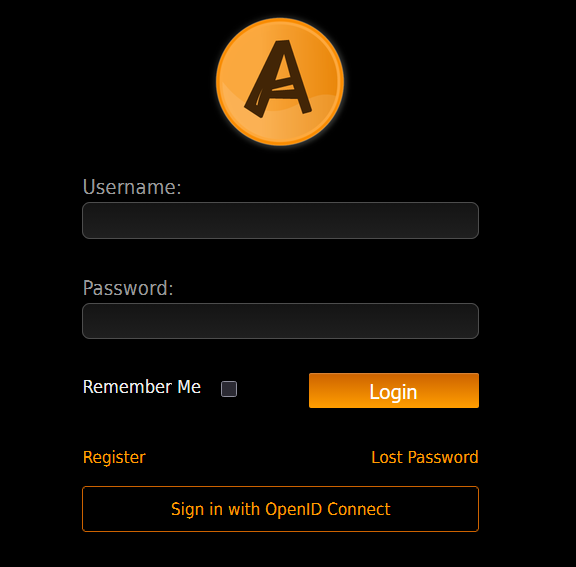
Ampache8 adds a new oidc auth method so you can log in through a single OpenID Connect provider. (Keycloak, Entra ID, Authentik, Google, Okta, ...)
Add oidc to your auth_methods and keep mysql in the list so local accounts can still log in.
auth_methods = "mysql,oidc"
The login uses the authorization code flow with PKCE (S256) and only one provider is supported.
Register the redirect uri <web_path>/oidc/ with your provider. It carries no query string and needs no extra webserver configuration.
Three keys are required; discovery fills in the rest from /.well-known/openid-configuration.
; Provider base url
oidc_url = "https://idp.example.com/realms/ampache"

; The confidential client registered with your provider
oidc_client_id = "ampache"
oidc_client_secret = "secret"
Users are matched by the claim in oidc_username_claim (default preferred_username) and are provisioned through the existing auto_create, auto_user and external_auto_update settings, exactly like LDAP.
Optional claim mappings copy provider data to the account: oidc_name_claim, oidc_email_claim, oidc_website_claim, oidc_state_claim and oidc_city_claim.
Other keys: oidc_issuer, oidc_scopes, oidc_use_userinfo, oidc_button_text, oidc_auto_redirect, oidc_cert_path, oidc_disable_ssl_verify and manual endpoint overrides (oidc_authorization_endpoint, oidc_token_endpoint, oidc_userinfo_endpoint, oidc_jwks_uri, oidc_end_session_endpoint) for providers without discovery.
Enable oidc_auto_redirect to skip the local login form entirely; the local form stays reachable at login.php?force_display=1.
Point logout_redirect at your provider's end_session_endpoint to sign out of the provider as well.
NOTE OIDC users can not authenticate with a username and password, so give them an API key for API clients. (user_create_apikey will do this automatically for new users)
Updated captcha with OCR testing
The old easycaptcha code has finally been replaced with Gregwar/Captcha.
The library will generate a picture and then test it by using convert and ocrad to read the file.
If ocrad can read the captcha phrase it will generate a new file and try again.
In Debian you can install these packages to enable OCR testing:
- graphicsmagick-imagemagick-compat: (/usr/bin/convert)
- ocrad: (/usr/bin/ocrad)
If you don't have these programs installed the code will generate a picture without testing the result.
NOTE This was also backported to Ampache 7.10.0 for security.
Folders: a virtual filesystem view of your catalogs
Ampache8 can map every song, podcast episode and video to its filesystem folder and let users browse the tree.
The folder tables are not filled automatically; scan them from the catalog pages.
- Each catalog's action dropdown gains a Scan Folders action
- The Manage Catalogs page gains a Scan All Folders action
- From the CLI,
-s|--scanonrun:updateCatalogandrun:updateCatalogFolderdoes the same job. It is not one of the-ceagtdefaults, so a plainrun:updateCatalogwill not build the tree
php bin/cli run:updateCatalog some-catalog -s
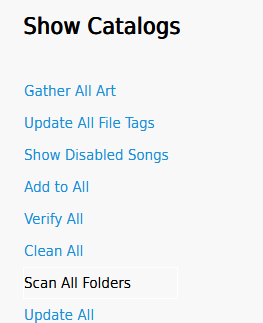
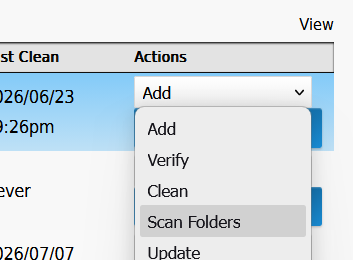
The sidebar Folders link only appears once the folder table has data and the show_folder preference is enabled.
WebDAV browsing has been rewritten on top of the folder tree, so WebDAV clients now see your real folder hierarchy.
Collections: curate a list of anything
A collection is a hand-curated list that is not restricted to playable things.
A playlist can only hold media and a smartlist is built from rules, so neither can hold an album, an artist or a genre.
Albums, album disks, artists, genres, labels, live streams, playlists, podcasts, episodes, songs and videos can all sit in the same collection.
Nothing creates collections for you, so the tables stay empty until someone makes one.
A collection can be left mixed or pinned to a single type, after which anything else is refused when it is added.
A collection is ordered, and the order is part of the data. Members keep the order they were curated into, new ones are appended, and positions stay dense and 1-based, so they are renumbered after anything is added, removed or moved. Members are addressed by their membership row rather than by the object they point at, which is what makes duplicates unambiguous.
Whether a collection may hold the same object twice follows the existing per-user unique_playlist preference rather than a rule of its own. It is off by default, so duplicates are allowed by default, exactly as they are for that user's playlists. There is no separate collection setting to configure.
Playing one expands its members, so an album contributes its songs and anything unplayable is skipped.
Visibility and collaborators work exactly like playlists: a collaborator is allowed to change the contents, only the owner or an admin can delete the list.
The sidebar Collections link appears whenever the show_collection preference is enabled — it no longer waits for a collection to exist, so there is a way in from a fresh install. The preference also gates the collection half of the add-to-list dialog; a server with collections off still just says "Add to playlist".
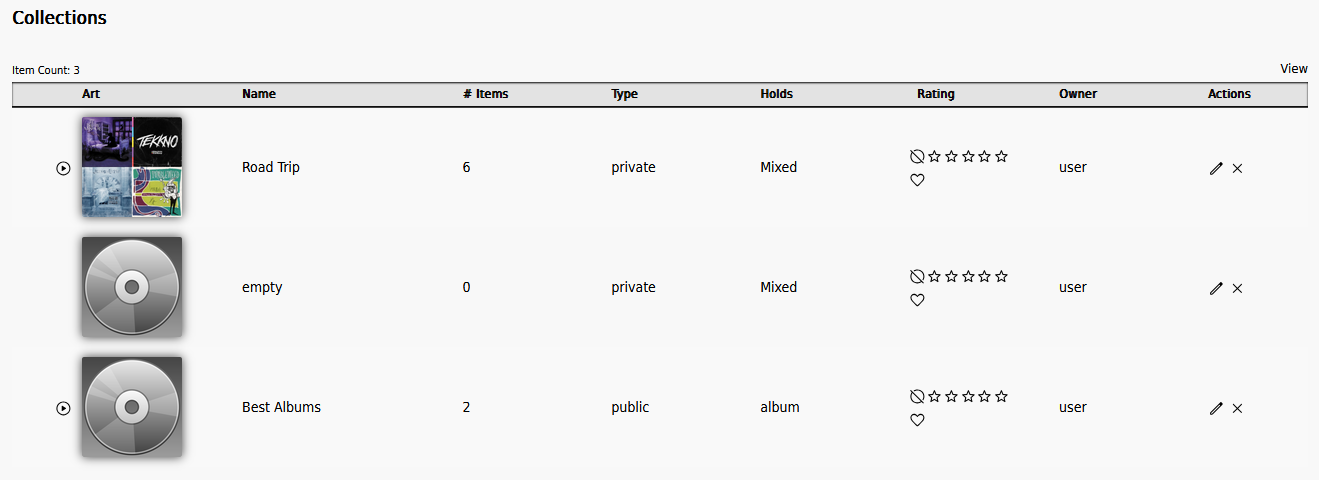
The web interface covers the whole lifecycle: a Create Collection button on the collections browse, the standard edit dialog for name, visibility, pinned type and collaborators, the art picker, drag-to-reorder with Save Track Order on a mixed collection, per-row and Multi-Select removal, and delete.
Adding is through the same add-to-list dialog as playlists, which now offers both under a "Playlists" and a "Collections" heading. Only the halves that can take what is being added are offered, so a genre offers collections alone — a playlist stores the media an item expands to, and a genre expands to nothing. Genres and labels gained that control for the first time, since both can be collected even though only one can go in a playlist.
API access is covered by the API8 collection methods; the REST paths are under collections/.
Moods: a new tag type
Ampache8 adds moods alongside genres. Two new tables, mood and mood_map, mirror the shape of tag/tag_map (migration 800047). A scan reads mood the same way it reads genre: id3v2 TMOO, Vorbis/APE MOOD, and now also AcousticBrainz's ab:mood comment, split on additional_genre_delimiters. Album, album disk and artist moods are derived from their songs rather than stored against the container itself, so a mood only ever leaves an album when it's removed from every song on it.
New preferences: show_mood gates the sidebar Moods browse link (it only appears once something has been scanned), and hide_moods hides the new Moods browse column - on by default, since most libraries don't carry mood tags yet (migration 800048).
BPM
song_data gains a bpm column (decimal(6,2), migration 800046), read from id3v2 TBPM, the QuickTime tmpo atom, or a Vorbis/APE BPM comment, keeping whatever fraction the tagging tool wrote. API8 reports it as a float; OpenSubsonic rounds it to an integer to match the spec.
Hand-set tags and moods survive a rescan
tag_map (and now mood_map) has always had a user column, but nothing ever populated it - every row was written with user = 0, so Tag::update_tag_list() treated every genre/mood as file-sourced and deleted anything a rescan didn't find again, including a tag a user had added by hand through the interface or API.
That's fixed. Tag::add()/add_tag_map() now stamp a map row with the acting user's id (the session user for an interface/API edit, 0 - Tag::NO_USER - for a CLI or cron scan). Tag::update_tag_list() takes a new from_file_tags flag: when a scan calls it, any existing map row with user > 0 is treated as still present even if the file doesn't have it, so it's never swept. A manual edit through the UI still removes whatever you remove, hand-set or not - it's only the automatic file-tag sweep that now leaves user-set entries alone.
TagRepository::removeAllMaps()/removeMap() take an optional user id: null clears every map (used when the object itself is deleted), a specific id clears only that user's maps, which is what the scan path now uses.
A hand-set tag or mood renders with a * and a "User set" tooltip in the web interface; plain-text output (edit inputs, DAAP, UPnP) is unaffected.
If you maintain a custom theme or plugin that reads tag_map/mood_map directly, be aware the user column is now meaningful rather than always 0.
The artist and album selects in the edit dialog
show_artist_select() and show_album_select() (src/Config/functions.php) ran an unbounded
SELECT ... FROM artist|album ORDER BY name and emitted one <option> per row, twice per song dialog. Three things
changed:
- Both queries go through
Catalog::get_user_filter(), so a user restricted to a catalog filter group no longer receives every artist and album in the database. - The artist query sorted on a computed
LTRIM(CONCAT(prefix, ' ', name))that no index could serve. Both nowORDER BY nameand rebuild the prefix in php, which turnstype: ALLwithUsing filesortinto an indexed read. - Past
SELECT_LIST_LIMITrows (1000, a constant in the same file) the control becomes a search field instead of a select. It queries the existing ajax search endpoint (page=search&action=search,target=artist|album), which now returns each result'sidalongside its link.
The search field posts the same keys the select always did. Picking a suggestion sends artist/album (an id) and
typing a name sends artist_name/album_name, which Song::update() already resolves through Artist::check() /
Album::check(). Only one of the two is ever submitted - the visible box carries no name of its own and the unused
hidden field is disabled, which serializeArray() leaves out.
Raise or lower SELECT_LIST_LIMIT if the threshold doesn't suit your library.
Playlist Folders (API8 only)
New playlist_folder/playlist_folder_map tables (migration 800045) give each user a private folder tree for organizing their playlists, smartlists and collections. Folder placement belongs to the (user, list) pair rather than the list itself, so filing another user's shared playlist only affects your own view of it. The root folder is implicit and holds anything unfiled; sort_order is assigned by the client and shared between subfolders and filed lists at the same level.
New API8 methods: playlist_folders, playlist_folder, playlist_folder_items, playlist_folder_create, playlist_folder_edit, playlist_folder_delete, playlist_folder_add and playlist_folder_remove (REST paths under playlist-folders/). There is no web interface for this yet - it's there for compatible API clients to use.
PHPTAL is gone - templates are now plain PHP
The last of the old PHPTAL .xhtml templates have been converted to .phtml files rendered by dedicated Ampache\Gui\...\*View classes, and the scn/phptal dependency has been dropped entirely.
Pages are meant to look exactly the same, but the conversion surfaced (and fixed) a real tail of display bugs - see Smaller fixes you might notice below.
If you run a custom theme or plugin that hand-edits .xhtml templates, or that hooks TalFactory/TalView directly, it will not work on Ampache8. There's nothing left to hook - move any customization to a .phtml override instead.
Security fixes in this window
Two real cross-site-scripting issues were fixed while converting old templates:
- The page header printed a logged-in user's full name completely unescaped on every page (also affected art titles, genre links, the right sidebar lists, and four-box titles) - a stored value with the right characters in it would have executed as script
- Shoutbox text was rendered as raw HTML rather than escaped, which was a persistent XSS vector via any shout
Both are fixed - user-supplied text is escaped and line breaks are preserved where they should be.
Separately, a new UrlValidator now checks the host of every remote URL Ampache is asked to fetch before requesting it - art image URLs, podcast feed URLs and episode downloads, and the Lyrist/RSS-view plugins - hardening against a user or admin pointing one of those at an internal address.
Podcasts: fewer surprises when you sync
- Sync buttons (podcast page, podcast row, and single episode) now fire a starting notification immediately, since a sync can run for minutes with no other feedback
- A podcast's page gets an Update details from the feed action (content managers only, confirms first) that refreshes title, website, description, language, copyright, generator and art from the feed - previously those were only ever read once, at creation
- Feed title/description text is cleaned to plain text (paragraphs become line breaks, tags stripped, entities decoded) instead of showing raw markup, and a re-sync now updates an existing episode's description if the feed's changed it
- Episode matching no longer collides on a blank guid
- Ampache's own library-item RSS feed (
rss.php) is a properly valid podcast feed now - iTunes namespace tags, category and image, Podcasting 2.0guid/remoteItem, per-item description and a realpubDate- and no longer triggers on-the-fly transcoding, which could exhaust server resources if the feed was pulled by an aggressive client. Thersstokenquery parameter is also no longer added to RSS links whenuse_authis off, so it can't leak into a link served on a public server - The pregenerate-transcode-cache catalog action is faster (skips a tag re-parse when the source is older than the cache, writes to a
.tmpfile and only promotes it on success) and a missing source file no longer aborts the whole run
Smaller fixes you might notice
- Garbage Collection is no longer offered as a per-catalog row action (it's a whole-database operation); it's on the Manage Catalogs page instead. The per-catalog Update File Tags action was also silently calling the wrong "update all catalogs" routine - fixed
- Dynamic transcode downsampling no longer advertises a resample it can't actually run when the matching
encode_args_<codec>isn't configured - A user whose transcode preference was never explicitly set no longer has the config-seeded default blanked out
- Connect/read timeouts were added to UPnP device requests, so a dead UPnP device can't hang Localplay
live_stream_create/live_stream_editstopped stripping digits from a codec name (mp3was becomingmp)preference_editwithdefault=1now correctly writes the server default rather than the calling user's own value- Filters and sorts that used to silently do nothing now work on the Folder, Share, Video, Podcast Episode, Follower, Genre, Broadcast, Mood, Smartlist, User and Wanted browses
- About 20 unused legacy icon files were removed and several admin pages moved to the SVG icon set
Mini player
There's a new stripped-down /m/ page showing only the home category plugins and the web player, aimed at small screens and simple accounts.
The mini_player preference (admin-only, per user) locks a user into that page — it hides the rest of the interface but is not an access control, since the user's normal access level still decides what data they can reach. Logging in returns the user to whatever page they originally asked for, including old index.php#page.php?... links.
A new Mini player button appears on the login form, next to Register and Lost Password, so anyone can jump straight to /m/ after logging in without an admin needing to set the preference. Hide that button site-wide with the new show_mini_player config option:
; DEFAULT: "true"
show_mini_player = "false"
/m/ itself stays reachable by url either way.
Optional web root rules for private files
public/.htaccess.dist now refuses requests for things a visitor has no business fetching: bin, config, docker, docs, locale, node_modules, resources, src, tests and vendor, dotted paths such as .git and .env, composer.json and friends, and backup leftovers such as .bak and .swp.
This is hardening, not a requirement. Ampache runs exactly the same without it.
It matters most if you installed from a release zip, where the whole install sits in the web root instead of a level above it, so config/ampache.cfg.php is a real path a browser can ask for.
The file is optional, so bin/installer htaccess -e still leaves it alone. Ask for it with -p.
php bin/installer htaccess -e -p
NOTE -p overwrites public/.htaccess, so back it up first if you uncommented the bot filtering or edited it.
/.well-known/acme-challenge/ stays reachable, so certbot renewals are unaffected.
nginx, lighttpd and Caddy do not read .htaccess files, so their examples in docs/examples carry the same rules. The Caddy sample is now v2; the old v1 syntax has not been valid since 2020.
See Rewrite Rules for the full list and how to check it.
The play2 stream action has been removed
The alternative play2 playback action has been merged into the normal play action.
Old action=play2 links keep working through a redirect, and the play2 preference has been removed.
The Web Player is HTML5 only
The Flash fallback (jquery.jplayer.swf) and the Aurora.js JavaScript decoders have been deleted.
The webplayer_flash and webplayer_aurora preferences are removed with them.
If your browser can not play a format natively, enable transcoding for it.
API8 is here
API version 8 joins the concurrent live surfaces (3, 4, 5 and 6) and is the new default API version.
If you send a version 7 API call you will now receive an access denied error.
- New
api_enable_8preference to enable/disable API8 responses per user - API8 returns real HTTP status codes for errors and empty results (API3-6 always returned 200)
- API error messages are US English and are not translated
- Parameters for
POST/PUT/PATCH/DELETEmay be sent as a JSON request body as well as a query string or a form - New methods including
folders,playlist_remove,randomand zip downloads for whole containers viadownload - New collection methods
collections,collection,collection_items,collection_create,collection_edit,collection_delete,collection_addandcollection_remove - Album disks are reachable at last:
album_disks,album_diskandalbum_disk_songs, plusalbum_disksupport inindex,list,browse,statsandget_art. With the per-useralbum_grouppreference off the web interface browses album disks, and until now the API had no way to see the same objects - New
sonic_matchmethod (RESTsongs/{song_id}/sonic-match) returning songs that sound like a given song, each with a similarity score on the same 0.0-1.0 scale as the OpenSubsonicsonicMatchfield. It needs a sonic analysis plugin, and refuses the request rather than returning an empty list when none is enabled - New
moodfield on song responses ({id,name}[], shaped likegenre), plus amoodadvanced-search rule and browse filter - New
bpmfield on song responses (a float; OpenSubsonic rounds it to an integer) - New Playlist Folder methods — see Playlist Folders
- Sending
password(register/user_create/user_edit/catalog_add) or the handshakeauthkey in the query string is now deprecated in favor of a request body or anAuthorization: Bearerheader — both still work preference_editwithdefault=1now correctly writes the server default rather than the calling user's own value
NOTE album_disk, sonic_match and random are API8 only. API6 is served by both Ampache7 and Ampache8 and has to stay identical between them, so anything new lands on API8 alone.
The REST interface is documented with a full OpenAPI spec at ampache.org/rest/swagger.
Two specs are published there: openapi.json for the current API8 surface, and openapi-6.json pinned to API6 for clients that also need to work against Ampache7. See the REST API docs for the differences.
All changes will be documented in the API before final release.
OpenSubsonic is now forced as the default Subsonic implementation
After a lot of poor implementation the split between Subsonic and Opensubsonic is now very clear.
When updating to Ampache8 all users will default to OpenSubsonic to ensure that everyone is using the latest version.
Users can still disable OpenSubsonic but the old implementation is now 1.16.1 compatible and does not support OpenSubsonic extensions.
Subsonic transcoding now converts the client maxBitRate correctly, so clients asking for e.g. 128kbps actually get 128kbps.
OpenSubsonic now implements the full specification
Ampache8 implements every endpoint in the OpenSubsonic specification and reports nine extensions: apiKeyAuthentication, formPost, getPodcastEpisode, indexBasedQueue, playbackReport, songLyrics, topSongsByArtistId, transcodeOffset and transcoding.
A tenth, sonicSimilarity, is only advertised while a sonic analysis plugin is installed and enabled for that user, because Ampache cannot answer it on its own.
Four of these are new in Ampache8: transcoding, playbackReport, topSongsByArtistId and sonicSimilarity.
XML responses now carry the same OpenSubsonic fields as JSON, which was not the case before.
Songs, albums, videos and podcast episodes now report played, the date and time they were last streamed.
NOTE The internet radio station response field was being sent as homepageUrl instead of homePageUrl.
This was wrong on the plain Subsonic API too, so a client reading that field will start seeing it for the first time.
sonicSimilarity needs a sonic analysis plugin, which is a new plugin type in Ampache8.
Without one, getSonicSimilarTracks and findSonicPath report the feature as unsupported.
The new AudioMuse plugin provides it by talking to an AudioMuse-AI server that you run yourself.
Setup and how it works is documented in AudioMuse.
The full extension list and what is left out is in the Subsonic API docs.
NOTE The REST paths, including everything under /rest/, need webserver rewrite rules to work at all.
If your Subsonic clients get a 404 from every request, that is almost always the cause.
See Rewrite Rules for Apache, nginx and the other supported webservers.
A dedicated Subsonic Password
Subsonic token auth (t/s params) has always needed the server to recompute md5(password + salt), which Ampache can't do against a normal hashed account password — until now that meant handing your API key to a Subsonic client as its "password".
Ampache8 adds a separate, per-user Subsonic Password, settable from the user's own account page, the admin user-edit page, or the CLI:
php bin/cli admin:updateUser some-user --subsonic "a-different-password"
It's stored encrypted with secret_key (not hashed, since the server has to recover the plaintext to compute the token), so changing secret_key invalidates every stored Subsonic Password. The API key keeps working as the Subsonic password too, for both token and plaintext auth, so existing clients don't need reconfiguring.
Faster catalog scans
Catalog verify, clean and add have been reworked to cache file lists, query less and skip non-media files early.
Large catalogs should see noticeably faster update and clean actions.
Placeholder labels are filtered out of your catalog
Publisher tags often hold placeholder text instead of a real label.
Discogs-sourced tags write [no label] and Not On Label (Artist Self-released) for releases that never had a publisher, and rippers leave behind fragments like /v/.
These are no longer created while scanning, and the catalog clean up removes the ones earlier scans already imported.
NOTE This deletes rows from the label table on your next catalog clean up, along with the art, ratings and shouts attached to them.
A label a user created by hand is never removed, however odd its name looks; only imported labels are swept.
Which names count as placeholders is a regex you control.
; DEFAULT: "^\[no label\]|^not on label\b|^\[fwd:|^self[\s-]*released?\b|\(self[\s-]*released?\)|^[^\p{L}\p{N}]*[\p{L}\p{N}]?[^\p{L}\p{N}]*$"
;label_ignore_pattern = "^\[no label\]|^not on label\b"
It is matched case-insensitively against the whole name, and setting it replaces the default rather than adding to it.
The last branch of the default drops names holding fewer than two letters or digits, such as /< or /v/, while leaving short real labels like XL and 4AD alone.
Set it to a pattern that cannot match, such as (?!), to keep every name you have.
Label pages list albums
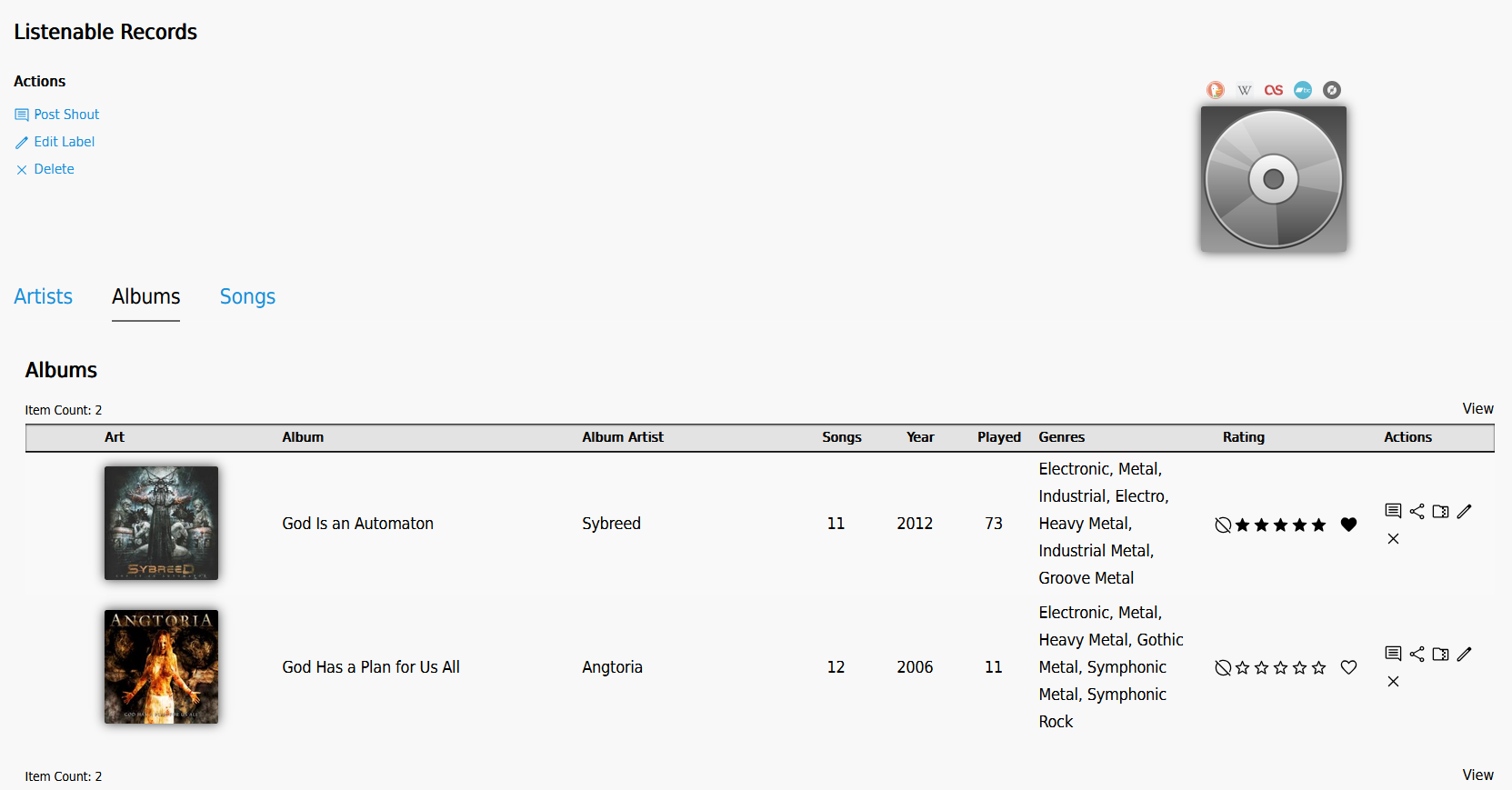
A label page now has an Albums tab beside its artists and songs.
The scanner records a release's label tag against the album, which is also what the OpenSubsonic AlbumID3.recordLabels field reports.
Debug page hides more secrets
The admin debug page now masks LDAP, MusicBrainz, proxy, Spotify, Last.fm and OIDC secrets along with your secret_key.
It also shows the PHP version and the last auto-update check time.
Song previews come from iTunes and Deezer
The 7digital plugin has been deleted; the api it called no longer exists, so song previews on the wanted list had been dead for some time.
Two new plugins replace it, iTunes and Deezer, and either one on its own is enough. Install them from Admin → Modules → Plugins.
Neither needs an api key, an account or a preference, so nothing has to be signed up for or configured after installing.
The sample is played straight from the provider's url — Ampache stores the link and answers a preview request with a redirect, so no preview traffic passes through your server.
Neither provider indexes MusicBrainz ids, so a track is looked up by artist and title text. Results that aren't a close enough match are dropped, so a track that can't be found gives no preview instead of playing a different song.
Database 800040 removes the 7digital_api_key and 7digital_secret_api_key preferences along with the plugin's installed version row. Nothing is needed from you; if you had 7digital installed it simply disappears from the module list.
Plugins that provided previews also lose their streaming half: stream_song_preview() and the SONG_PREVIEW_STREAM_PROVIDER plugin type are gone, and a preview plugin now only implements get_song_preview(). See Writing Plugins if you maintain one of your own.
Config changes
Ampache7 shipped config_version 87. Ampache8 is on 95, so run the config update after upgrading:
php bin/cli admin:updateConfigFile -e
New options
oidc_*(21 keys) — see OpenID Connect (OIDC) loginstats_consolidate_threshold— see Play history consolidationplaylist_art_mosaicandplaylist_art_mosaic_fallback— see Playlist art mosaicshow_mini_player— see Mini playerlabel_ignore_pattern— see Placeholder labels are filtered out of your catalogencode_args_mp3_rg,encode_args_mp3_car,encode_args_opus_rgandencode_args_opus_car— see Transcoding bitrates are sent in full bpsallow_lost_password— set tofalseto hide theLost Passwordlink on the login page and rejectlostpassword.phpoutright, so nobody can trigger reset mail to your users by posting to it directly. Only relevant on a server with mail enabled; without mail the feature is already off
; DEFAULT: "true"
;allow_lost_password = "false"
Changed defaults
Two defaults flipped, so a config file that never set them behaves differently after the upgrade.
memory_cachenow defaults to"true"(it was"false"). It batches the per-object lookups a page would otherwise repeat, roughly halving the query count on a large browse, at the cost of higher memory use. Set it to"false"if you have a big catalog and a low PHP memory limitstatistical_graphsnow defaults to"true"(it was"false") and is no longer commented out in the dist file, because the graph library is a normal dependency now — see Statistical Graphs no longer needext-gdtranscode_flac,transcode_mpc,transcode_ogg,transcode_oga,transcode_opus,transcode_wav,transcode_wma,transcode_aif,transcode_aiff,transcode_apeandtranscode_shnnow default to"allowed"instead of"required", matchingtranscode_mp3's existing default
max_bit_rate and min_bit_rate are still in the config file but are now only read once, at upgrade time, to seed each user's new per-user preference. Their unit changed from kilobits to bits per second at the same time (576 became 576000). After the upgrade the config values are ignored; leave them commented out and change the preference instead.
Removed options
api_debug_handler has been removed entirely.
New Options
New site options and preferences are documented in wiki at ampache8-for-users