Ampache6 for Admins
Ampache6 for Admins
This page will cover the backend and Admin specific changes to Ampache.
For information about what you'll see and changed behavior's check out Ampache6 for Users
There are major differences between Ampache 5 and 6 that you should consider before upgrading.
The backend changes are significant enough that once you update there isn't a way to go back without a database backup.
Try it out
Check out the patch6 branch using git to try it out on your own server.
(Don't replace your existing Ampache5 database if you want to go back!)
Check out the wiki - Installation page for more information
git clone -b patch6 https://github.com/ampache/ampache.git ampache
You should use the cli when upgrading
For existing servers; please consider using the CLI update command (php bin/cli admin:updateDatabase -e)
Update 600005 is a massive change to the structure of the database and may take a while depending on your music catalog.
I've put an example script that I use to update my server in the docs folder. If you use git I really recommend setting it up.
Dropped support of PHP 7.4
Now that it's out of support, php7.4 has been dropped from official support by Ampache as well.
The project code is still php7.4 compatible and it will keep being built with 6.x.x releases for the foreseeable future.
Once I can't build a php7.4 zip easily those builds will be dropped from future releases and the code will be updated to support PHP8.x+
PHP 8.2 support
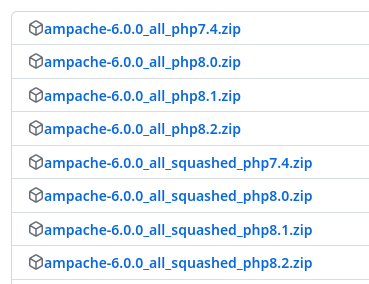
To allow maintenance of so many versions the composer.json has been split into 2 files.
composer.jsonsupports PHP 8.2 onlycomposer_old.jsonsupports PHP 7.4, 8.0 and 8.1
If you are on git and not using php8.2 you need to replace the composer.json file with the composer_old.json file. Then you can run composer update to get the correct packages for you php version.
cp -f ./composer_old.json ./composer.json`
Release zips will take care of this step for you so if you're using the zips just make sure you grab the correct zip for your PHP version.
The album table is now per-album instead of per-disk
Ampache used to split up albums into disks and treat them as albums.
The way this worked in the background made album's a very confusing object type as it could be multiple things at a time.
Over time the code has gotten more complicated and would constantly break at minor changes.
By splitting Albums and Disks into separate object this has made the code faster and easier to manage.
This change will be transparent to the user in most cases but it is a major structural change to the backend.
Database update 6.0.0 build 5 (600005) contains a major structural change to the table.
The update itself can take a long time to process but is required to provide this change.
On my personal server it takes about 3 albums per second to process. At a guess most catalogs may have about 500 album disks to update per 100k songs. (obviously mileage may vary but you can expect this update to take about 3 minutes for those 500 items.)
You can find out how many you have by running this sql command:
SELECT COUNT(`id`) AS `album_count` FROM `album` WHERE `id` IN (SELECT MIN(`id`) AS `id` FROM `album` WHERE `id` in (SELECT `album` from `song`) GROUP BY `album`.`prefix`, `album`.`name`, `album`.`album_artist`, `album`.`release_type`, `album`.`release_status`, `album`.`mbid`, `album`.`year`, `album`.`original_year`, `album`.`mbid_group` HAVING COUNT(`id`) > 1);
This query will tell you how many albums there are to be compacted but does not include the number of disks. (e.g. one of these albums may have 50 disks)
Please try to avoid any issues with this update by using the php cli updater.
Check for updates with this command
php bin/cli admin:updateDatabase
Execute the update using the -e parameter
php bin/cli admin:updateDatabase -e
Config file changes
Minor changes to config default values so check out your options for these settings.
- Reset the art_order defaults (replace lastfm with spotify)
- Set a default
album_art_min_widthandalbum_art_min_height(30px) - Add
album_diskto allow_zip_types - Add
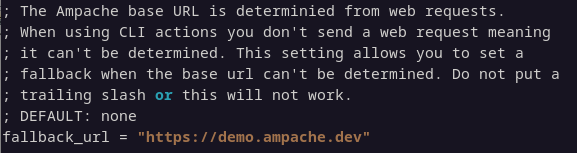
fallback_urlfor CLI actions which can't detect the URL from web requests - Updated
additional_genre_delimitersto"[/]{2}|[/\\|,;]"(Split on "//", "/", "", "|", "," and ";") - Updated
encode_args_opussettings
There are also some config options as well
Now that albums and album_disks have been split they are no longer the same object type
If you want to allow downloads for single disks add album_disk to your config file.

If you allow album downloads you should add this even if you keep album_group enabled otherwise you won't be able to download individual disks on a multi-disk album.
If you're using the CLI to export playlists with web links you should add your site url as the fallback_url in your config.
New CLI commands and parameters
We've added a few new commands to the cli files.
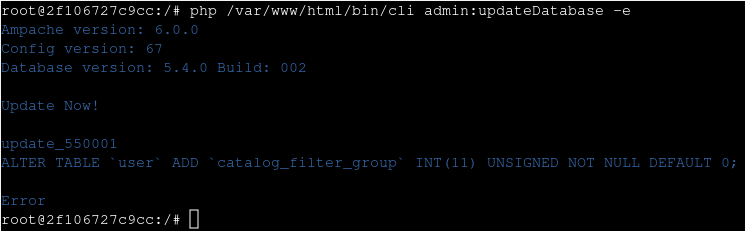
Show errors when updating the database
This is a really good reason to use the CLI to update your databases instead of the web UI.
When running admin:updateDatabase we now display much more information about the version and required changes.
The command will also display the specific query that failed and will help us all out when trying to work out update issues.
Recreate htaccess files using the installer
With the installer you can now recreate missing htaccess files for an Apache server
Use the command bin/installer htaccess to recreate missing files
New option for run:updateCatalog
The final table updates for run:updateCatalog can be really slow for some people. To aleviate this we've separated the update process into a new option. (-t|--garbage)
e.g. bin/cli run:updateCatalog music -cagt
This moves all the catalog map and update functions out of run:updateCatalog clean, add and verify commands
Add new options to export:playlist
There are some new things you can do with the export command.
- Added playlistid (export a single playlist instead of all of them)
bin/cli export:playlist /tmp playlists m3u 2554 - Added smartplaylists as an export type. e.g.
bin/cli export:playlist ~/playlists/ smartlists - Add -w|--web to export:playlist (Get a play URL instead of the file name)
Make sure you use the new fallback_url in the config if you're using the CLI to export URL's. The CLI can't detect the web address from the webserver.
New CLI command run:updateCatalogFolder
A new command has been added to allow you to update an entire folder in the same way run:updateCatalogFile will update a single file path.
New CLI command show:version
This command will print the current Ampache version string. (e.g. 6.0.0) this will help with scripting
Minor CLI changes
- Chunk the cleanup:sortSongs to give you more information
- run:channel has been removed
Drop "-release" from the version numbers
This might have worked if we had multiple build types or kept squashed development but from now on we'll use purely semantic versioning. (e.g. 6.0.0, 6.0.1)

Album version/releasecomment tags added to album grouping
For albums that have been duplicated in your library there is now an additional column for version called Release Comment.
This field looks for the tag Version.
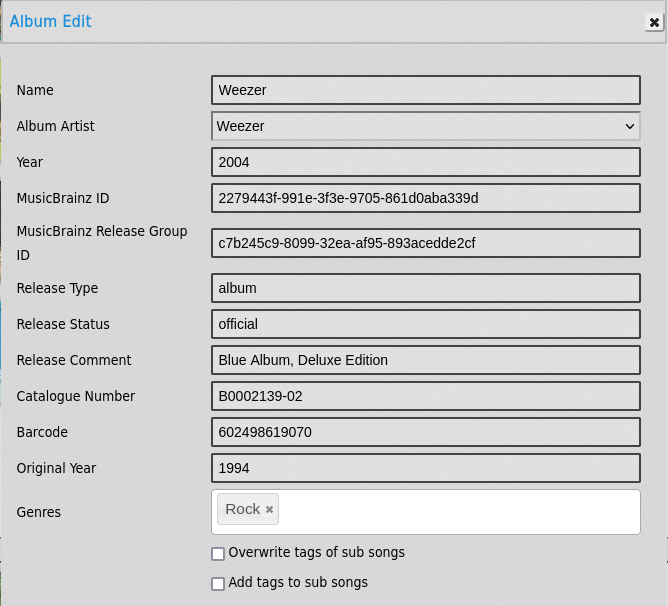
If you use Picard for tagging you can add the version tag for grouping to your client using a tagging script. (Note the capitalization)
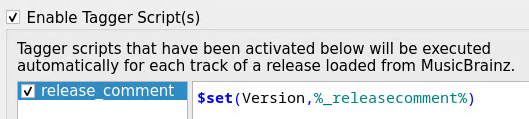
$set(Version,%_releasecomment%)
This will add the tag using the Picard _releasecomment and create the Version tag.
Allow permalink user streams
As an admin you can add a stream token to your users from the edit user pages.

This allows streams without the risk of the session expiring by using a static token.
Once a user has been given a stream token all Democratic, Song, Podcast Episode and Video Streams will use this session token.
e.g. https://music.com.au/play/index.php?ssid=supercoolstreamingtoken&type=song&oid=1511&uid=1&player=api&name=The%20Smashing%20Pumpkins%20-%20Wound.flac
This token does not allow a user to do anything except stream music and it requires an Admin to create the token for the user.
You can delete user tokens
You previously had to edit the database to remove the API Key from a user; now there's an option for removal

New Upload links and settings
The uploads access and process has been worked on to make things a bit clearer
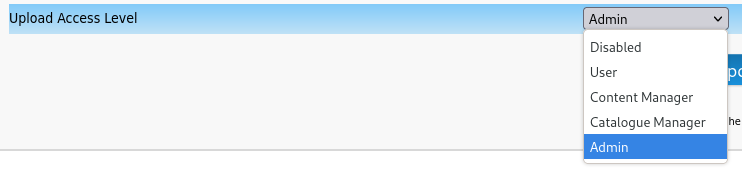
Added a minimum user access level
You can now also set a minimum access level to upload pages using upload_access_filter.
This will hide links and disallow access to upload pages when you do not meet that access level. (Ampache5 allowed for anyone User (25) and above)
Admin users can now browse ALL user uploads
The upload page on the home tab will only list uploads for your user.
A new link in the admin page has been added to allow you to browse uploads for all users. This was added to the 'User Tools' section on the sidebar admin tab.

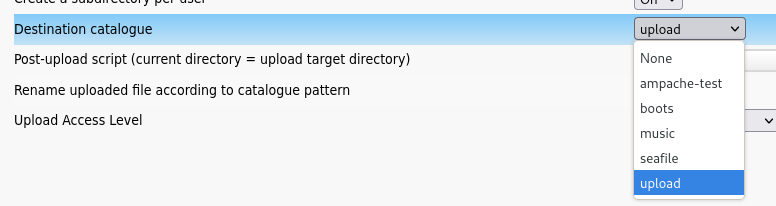
Upload catalogs support music only
Uploads are designed to allow only song uploads so this has been enforced and you can only select a music catalog as your destination.
AlbumDisk objects now store per-disk information
For those who have album_group disabled the function in the web interface should be exactly the same as before.
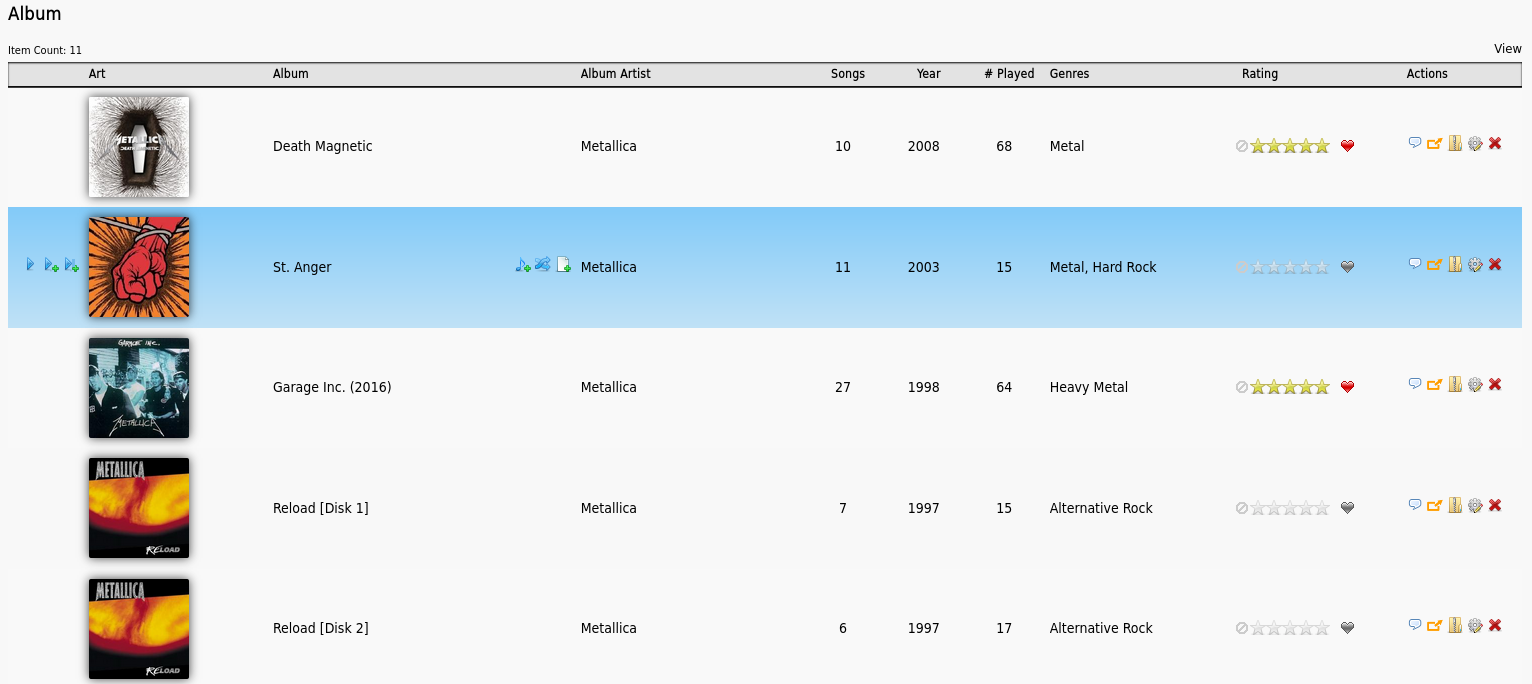
Access to this mode is set by disabling the preference album_group.
Set it for a single user
preferences.php?tab=interface
Set the default in system preferences
preferences.php?action=admin&tab=interface
In the system preferences page you can tick Apply to All to overwrite all user preferences

An AlbumDisk is essentially a sub-type of a parent Album object. It's has it's own data with additional data retrieved from the master object. You can not edit an individual AlbumDisk; the data is edited from the Album object.
- AlbumDisk data read from the Album object
- name
- prefix
- mbid
- year
- disk_count
- mbid_group
- release_type
- album_artist
- original_year
- barcode
- catalog_number
- release_status
- addition_time
AlbumDisk objects will not be available in API6
Don't worry about these new objects if you're an API developer, this is going to be made available as part of the album methods.
Disks may come in as a separate object later but there is no merging or duplication in the album methods.
An album is an album.
API6 is (mostly) API5+
I wanted API6 to basically be API5+ with minor changes where required.
This is all documented ampache.org/api and API5 documents have been moved here ampache.org/api-5. All API versions remain fully supported.
- Changes of note are
- Renamed
user_updatetouser_edit(user_update still works and will be depreciated in API7) - Albums with no album_artist may now return 0 artist called 'Various'
- Api6 XML success and error response messages are put in a
messageelement (like json) - For data responses id is the only attribute and everything else is an element
- Name was not set as an attribute OR an element so now it's always an element
- Return original XML output (that may be malformed) when loadxml fails.
- Api6::get_indexes: This method is depreciated and will be removed in Ampache 7.0.0 (Use Api6::list instead)
preciseratingremoved from all objects (use rating)- Api6::album_songs remove
exactas a parameter - Api6::stream remove
podcastas a validtypevalue
- Renamed
Subsonic 1.16.1 support
Ampache has always had a semi correct Subsonic implementation. Now in Ampache6 the API has been updated to the last released version (1.16.1 released with Subsonic 6.1.6)
Documentation is available from the subsonic.org and example files from an official server and Ampache server are kept ampache.org.
Alternative playback url
Do you have issues with playback when transcoding? There is an alternative PlayAction in the streaming menu which redirects play URL's to the new version.
Some configurations don't seem to like this new version as much as the original so it's an optional choice depending on how your server reacts to streams.
Enable Use an alternative playback action for streaming if you have issues with playing music in your Streaming menu

Podcast Episode data has been extended
There are now bitrate, mode, rate and channel columns in the podcast_episode table. Do a catalog verify on your podcast catalogs so you can fill in all the missing data.
Configure Democratic playlist options directly
Democratic play is a system where the users vote on songs.
Think of it like a shared jukebox where the votes are the requests. More votes = more likely to be played next.
When configuring democratic play there was an option to force all users to use democratic as their play type.

Ticking this box altered settings and user permission levels without telling you what was changed.
You should be the one making these changes and understand what's happening.
To force democratic playback for all users you should set the following options.
Enable Democratic playback
Make sure democratic play is enabled preferences.php?action=admin&tab=options

Then open the streaming tab preferences.php?action=admin&tab=streaming and set Playback Type.
Enforce Democratic play type
Play type is the default output in the Webplayer. Set it to democratic and if you raise the permission level to Admin or manager regular users will not be able to change it.

Enforce clear on send to stop extra votes
Finally open the playlist settings preferences.php?action=admin&tab=playlist
Make sure it's set to 'Clear on send' and set the permissions as above. If you don't clear the playlist after each vote you'll end up with multiple and repeated votes for songs

Channels are gone
Channels have been removed. This feature just isn't comparable to using other streaming servers like Icecast.
While updating from git there may be some left over files that are not deleted due to the structural change.
You can manually delete these folders and files (these should mostly not exist but this should be all of them)
rm -rf ./public/channel/
rm -rf ./src/Module/Application/Channel/
rm ./docs/examples/channel_restart.service
rm ./docs/examples/channel_restart.timer
rm ./docs/examples/channel_run.service
rm ./public/channel.php
rm ./public/templates/show_add_channel.inc.php
rm ./public/templates/show_channel_row.inc.php
rm ./public/templates/show_channels.inc.php
rm ./public/templates/show_edit_channel_row.inc.php
rm ./src/Module/Application/Browse/ChannelAction.php
Don't forget to re-run composer
You will need to make sure you've run composer install again.
It should run but it's good to manually check.
composer install
When coming from Ampache5.x.x you should do a composer update to get some of the new packages updated
composer update
Also remember that if you're not using php8.2 you need to overwrite the composer.json with composer_old.json
(#php-82-support)