Install on Ubuntu 26.04
How to install Ampache on Ubuntu 26.04 LTS
Ubuntu 26.04 LTS ("Resolute Raccoon") ships PHP 8.5 in the main archive, which is exactly what Ampache8 needs. That makes it the easiest Ubuntu release to install a current Ampache on: no third party PHP repository required.
This guide sets up Apache, MariaDB and PHP 8.5, installs Ampache and gets you to the web installer.
Installing on an older Ubuntu? Use the Ubuntu 22.04 guide instead, or run the Docker image which brings its own PHP.
Prerequisites
- A server running Ubuntu 26.04 LTS
- sudo access
Most of these commands need root. Either prefix each one with sudo, or become root once:
sudo su -
Update the system
apt update
apt upgrade -y
Install the server packages
Apache, MariaDB, PHP 8.5 and the transcoding tools:
apt install apache2 mariadb-server \
    php8.5 php8.5-cli php8.5-curl php8.5-gd php8.5-intl php8.5-mbstring php8.5-mysql php8.5-xml php8.5-zip \
    ffmpeg flac lame vorbis-tools inotify-tools zip unzip curl
php8.5-ldap is only needed if you plan to use LDAP authentication.
If a later Ubuntu moves on from PHP 8.5, or you need a version the archive does not carry, Sury (ppa:ondrej/php) packages every current PHP release for Ubuntu and installs beside the system one.
Check what you got:
php -v
If you have more than one PHP installed, point the php command at the right one:
update-alternatives --set php /usr/bin/php8.5
Tune php.ini
nano /etc/php/8.5/apache2/php.ini
Raise the limits if you want to upload or download large files:
upload_max_filesize = 500M
post_max_size = 500M
memory_limit = 512M
And set your timezone (list of supported values):
date.timezone = Australia/Brisbane
Restart Apache when you are done:
systemctl restart apache2
NOTE the CLI uses a different file, /etc/php/8.5/cli/php.ini. Catalog scans and the cron jobs read that one.
Secure MariaDB
mariadb-secure-installation
Answer as follows:
Enter current password for root (enter for none):   <press enter>
Switch to unix_socket authentication [Y/n]          N
Change the root password? [Y/n]                     Y
Remove anonymous users? [Y/n]                       Y
Disallow root login remotely? [Y/n]                 Y
Remove test database and access to it? [Y/n]        Y
Reload privilege tables now? [Y/n]                  Y
On Ubuntu the root password is not always enforced by that script, because the root account is still set to unix_socket authentication. Check by logging in with the password you just set:
mysql -u root -p
If that fails, log in over the socket and set it by hand:
mysql -u root mysql
ALTER USER 'root'@'localhost' IDENTIFIED VIA mysql_native_password USING PASSWORD('YOURPASSWORD');
FLUSH PRIVILEGES;
Type exit to leave the shell. The web installer needs an account it can log in to with a password, so this has to work before you go on.
Install Ampache
Two ways to do this. Pick one.
Option A: release zip (recommended)
The _php8.5 zip ships with the composer and npm packages already built, so there is nothing to compile.
Grab the release you want from the releases page — see Which zip? if you are not sure which file to take.
cd /tmp
wget https://github.com/ampache/ampache/releases/download/8.0.0/ampache-8.0.0_php8.5.zip
unzip ampache-8.0.0_php8.5.zip -d /var/www/ampache
Replace 8.0.0 with the version you are installing.
Option B: git checkout
Easier to keep updated, but you build the dependencies yourself.
apt install git composer nodejs npm
cd /var/www
git clone -b develop https://github.com/ampache/ampache.git ampache
cd ampache
composer install --no-dev --prefer-dist --no-interaction
npm install
npm run build
Ampache8 builds its assets with Vite 8, which needs Node.js ^20.19.0 or >=22.12.0. Check with node --version and install from NodeSource if the archive version is older.
npm run verify:install reports anything that did not land.
develop is Ampache8. Use -b release7 if you need Ampache7 instead, which also means installing php8.4 rather than php8.5.
Point Apache at the right folder
The website lives in /var/www/ampache/public, not in the project root. How you expose it is up to you.
Ampache as the whole site
rm -rf /var/www/html
ln -s /var/www/ampache/public /var/www/html
Ampache in a subfolder
ln -s /var/www/ampache/public /var/www/html/ampache
That serves Ampache at http://your-server/ampache.
Ampache on its own hostname
Better if you run other sites on the same server. Create /etc/apache2/sites-available/ampache.conf from docs/examples/apache-site.conf, then:
a2ensite ampache
systemctl reload apache2
Enable rewriting
Streaming, the Subsonic API and the REST API all return 404 without URL rewriting. See Rewrite Rules for the detail.
a2enmod rewrite
Allow the shipped .htaccess files to take effect. Add this to your vhost (/etc/apache2/sites-enabled/000-default.conf if you are using the default site):
<Directory /var/www>
    AllowOverride All
</Directory>
Write out the .htaccess files themselves:
cd /var/www/ampache
php bin/installer htaccess -e
Add -p to also write the optional public/.htaccess, which blocks private paths and filters bots.
Recent Apache versions can reject Ampache's streaming responses. If downloads or streams fail, add this to the vhost as well (issue 3993):
<Directory /var/www/ampache/public/play>
    SetEnv ap_trust_cgilike_cl 1
</Directory>
Then check and reload:
apachectl configtest
systemctl reload apache2
Permissions
The web server runs as www-data, and it needs to write the config directory:
chown -R www-data:www-data /var/www/ampache
Your music does not need to be writable. Read-only is the safer choice unless you want uploads or tag writing:
chgrp -R www-data /srv/music
chmod -R g+rX /srv/music
HTTPS with Let's Encrypt
Skip this for a LAN-only server. For anything reachable from the internet, do it.
apt install snapd
snap install certbot --classic
certbot --apache -d ampache.example.com
Certbot writes the SSL vhost and sets up renewal for you. Then set force_ssl = "true" in config/ampache.cfg.php so every generated link uses HTTPS.
Run the web installer
Open your server in a browser — http://your-server/ or http://your-server/install.php.
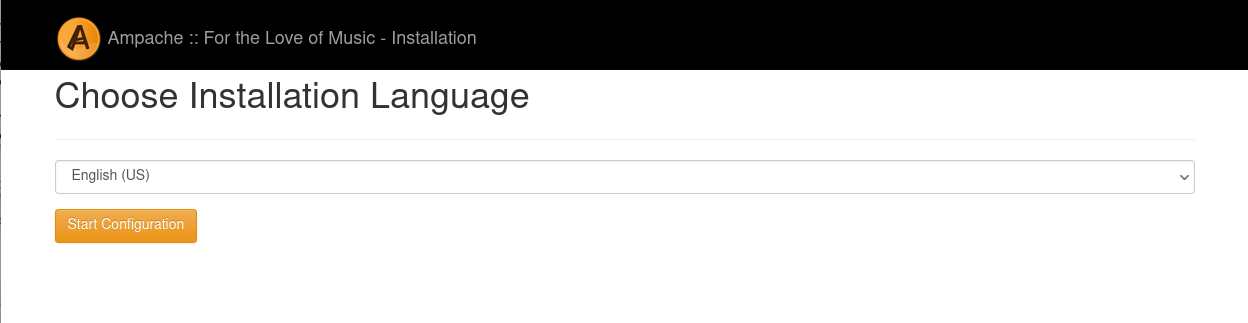
- Pick a language and click Start Configuration
- Check the requirements page. Everything should be green; a missing PHP module here is an
apt install php8.5-<module>away, followed bysystemctl restart apache2 - Insert Ampache Database — enter
rootand the MariaDB password you set, tick Create Database User and give the Ampache user its own (different) password - Generate Configuration File — pick a transcoding target if you want transcoding, then Create Config
- Create Admin Account — this is your Ampache login, not a database account
- Apply any database updates, then log in
The screenshots for each step are on the Installing Ampache page.
After the install
- Add your music as a catalog and run an update
- Set up a cron job so catalogs, podcasts and statistics stay current
- Read Basic Configuration —
config/ampache.cfg.phpcontrols almost everything - Pick a client, or just use the web player
Upgrading later is git pull, or unzip over a fresh folder, followed by:
php bin/cli admin:updateDatabase -e
php bin/cli admin:updateConfigFile -e